33
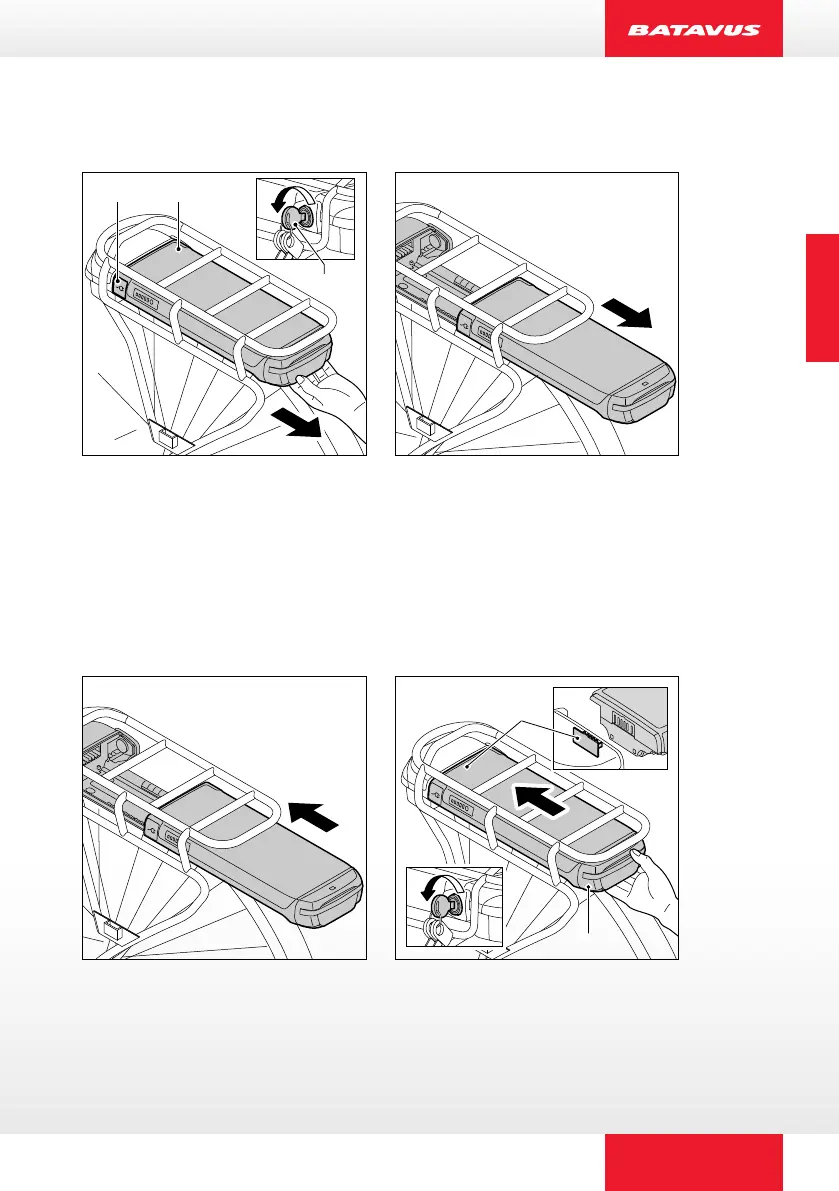
3.2 Removing the battery pack
A
B
C
The battery has a lock to secure it against theft.
1. Insert the supplied key (A) into the lock of the battery pack (B)
and turn through 45 degrees.
2. Make sure that the cover (C) of the charging plug is closed.
3. Carefully slide the battery pack (B) out of the luggage rack.
3.3 Re-installing the battery back
B
A
1. Carefully slide the battery pack (A) into the luggage rack. Make sure
that the battery pack (A) and the docking station (B) are well connected.
2. Lock the battery pack to x it in place and prevent theft.
ENGLISCH


 To Next Page