EasyManua.ls Logo

BATTERIES PLUS X2 POWER SLC10002A - User Manual

BATTERIES PLUS X2 POWER SLC10002A
12 pages
Print Icon
To Next Page IconTo Next Page
Loading...
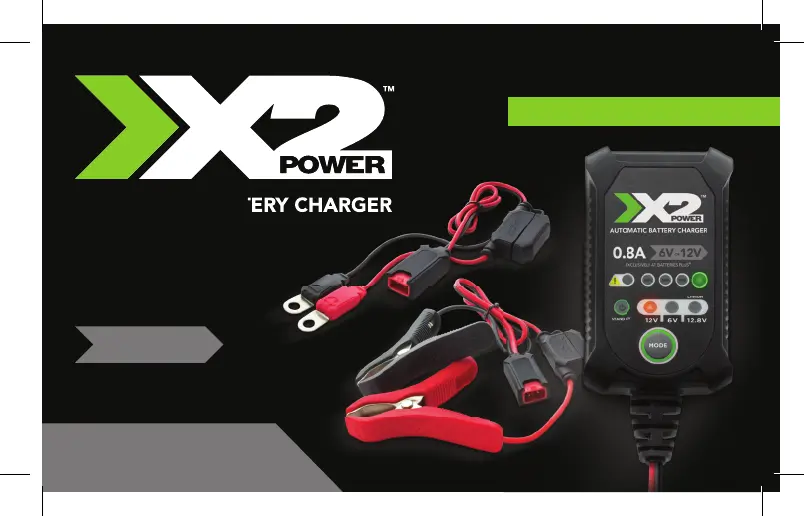
AUTOMATIC BATTERY CHARGER
INSTRUCTION MANUAL
0.8A
6V
OR
12V
SLC10002A
AUTOMATIC BATTERY CHARGER
EXCLUSIVELY AT BATTERIES PLUS
®

Questions and Answers

Summary

Important Safety Instructions

General Safety Warnings

Follow instructions to reduce risk of fire or electric shock. Use only with specified battery types and avoid moisture.

Operational Safety Precautions

Operate in ventilated areas, wear eye protection, use recommended attachments, and avoid damaged cords or frozen batteries.

Maintenance and User Safety

Unplug before maintenance, do not disassemble, and charger is not for unsupervised use by minors or those with reduced capabilities.

Explosive Gas Hazard

Batteries generate explosive gases; follow instructions carefully to reduce explosion risk.

Emergency and First Aid Preparedness

Ensure aid is available, keep water/soap nearby for acid contact, and know first aid procedures for eye/skin exposure.

Personal and Tool Safety

Avoid sparks/flames, remove metal items, use insulated tools, and adhere to battery compatibility and mode restrictions.

Health Warnings

Warning regarding cancer and reproductive harm, with a link to further information.

Charger Location

Optimal Placement

Locate charger away from battery to prevent damage from gases. Avoid closed-in areas or poor ventilation.

Charging Modes Overview

Lithium Mode Activation

Lithium charge mode requires pressing and holding the mode button for three seconds to enter enhanced mode.

Connecting to Battery

Pre-Connection Procedures

Turn off charger, unplug AC cord, and avoid touching clamps together before connecting or disconnecting.

Polarity Identification

Identify positive (+) and negative (-) battery terminals, typically marked on the battery.

Cable Routing and Connection Points

Route cables safely away from moving parts. Avoid connecting to carburetor, fuel lines, or body parts.

Grounding and Connection Sequence

Determine battery grounding. Connect positive to positive and negative to negative, following vehicle grounding type.

Disconnection Procedure

Turn off charger, disconnect AC cord, and remove connectors in the reverse sequence of connection.

Charging Times

Preparing to Charge

Battery Removal and Ventilation

Remove grounded terminal first if removing battery. Ensure the charging area is well-ventilated.

Terminal Cleaning and Voltage Setting

Clean battery terminals carefully. Set the correct voltage based on the vehicle owner's manual.

Starting the Charging Process

Initial Connection and Standby Mode

Connect clamps correctly, plug into AC socket. Charger enters standby mode indicated by LED.

Selecting Charge Mode

Press MODE button to select appropriate charge mode for battery voltage and chemistry.

State of Charge Indicators

Understanding SOC Indicators

The charger uses four SOC indicators (25%, 50%, 75%, 100%) to show charging progress.

Indicator Status Explanations

LEDs flash when below threshold and become solid when the threshold is met or exceeded.

Troubleshooting

Error LED Indicators

Error conditions are indicated by specific LED patterns on the display.

Error Resolution Guide

Provides solutions for solid red (no charge), flashing yellow (capacity/mode issue), solid yellow (voltage issue), and flashing red (reverse polarity).

BATTERIES PLUS X2 POWER SLC10002A Specifications

General IconGeneral
BrandBATTERIES PLUS
ModelX2 POWER SLC10002A
CategoryBattery Charger
LanguageEnglish

Related product manuals