12
Product Operation (Cont.)
3. If no button is pressed within ten seconds, the
device will automatically exit the electricity price
setting mode.
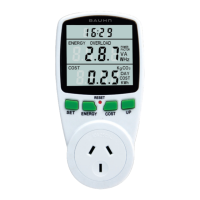
Setting the Overload Limit
1. Press ENERGY for three seconds to enter the
Overload Mode. When OVERLOAD on the LCD is
displayed, use the UP button to enter the value.
Use the SET button to move decimal place. When
you have finished setting the chosen overload limit,
press the ENERGY button to save your setting.
2. The default overload value is 3680W. When the set
overload limit is exceeded, OVERLOAD will flash
on the LCD screen.
Resetting the Power Meter
If an abnormal display appears and/or the buttons
become unresponsive, the device can be reset. To do
this, press the small red RESET button using the tip of
a pen/pencil.


 To Next Page
 Loading...