8
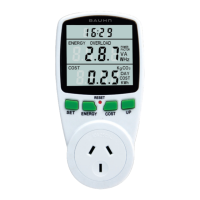
Function Overview (Cont.)
1. Set: choose which data reading to display (select
from six modes)
2. Energy: toggles between the following display
settings: voltage, current, frequency, power factor,
overload power, present power
3. Timer: displays the time lapsed in hours, minutes
and seconds
4. Energy data display: shows energy usage
5. Cost display: calculates the cost of the energy
being consumed by the connected appliance
6. Reset: in the case of abnormal operation, use
the tip of a pen to push this button and reset the
device
7. Up: use to enter your electricity price and to set
your overload limit
8. Cost: enter the price of electricity per KWh
9. Power socket: connect an appliance by plugging
it in here


 To Next Page
 Loading...