8 | REMOTE CONTROL
Remote Overview
MI
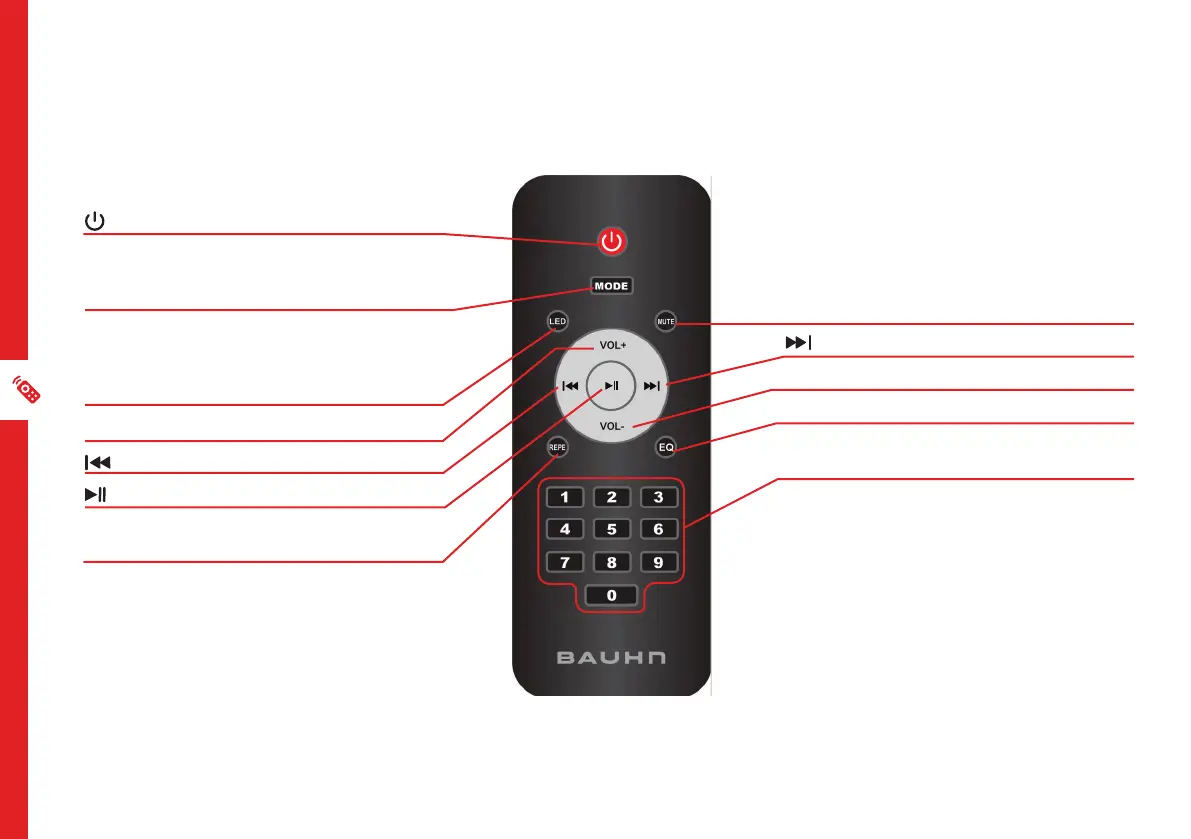
MUTE : mute the sound. Press again to
unmute
: play next song
VOL- : decrease volume level
EQ : change EQ mode
NUMBER BUTTONS : Numerical input to
directly play a track.
: press to enter standby mode
MODE : press to switch between input
modes. Press and hold to enter/exit
microphone priority mode
LED : press to change the speaker light
effect. Press repeatedly to change between
light effects. Press and hold to turn light
effect off
VOL+ : increase volume level
: play previous song
: play/pause song
REPE : press to change repeat mode when
in USB/Micro SD card mode



 To Next Page