EasyManua.ls Logo

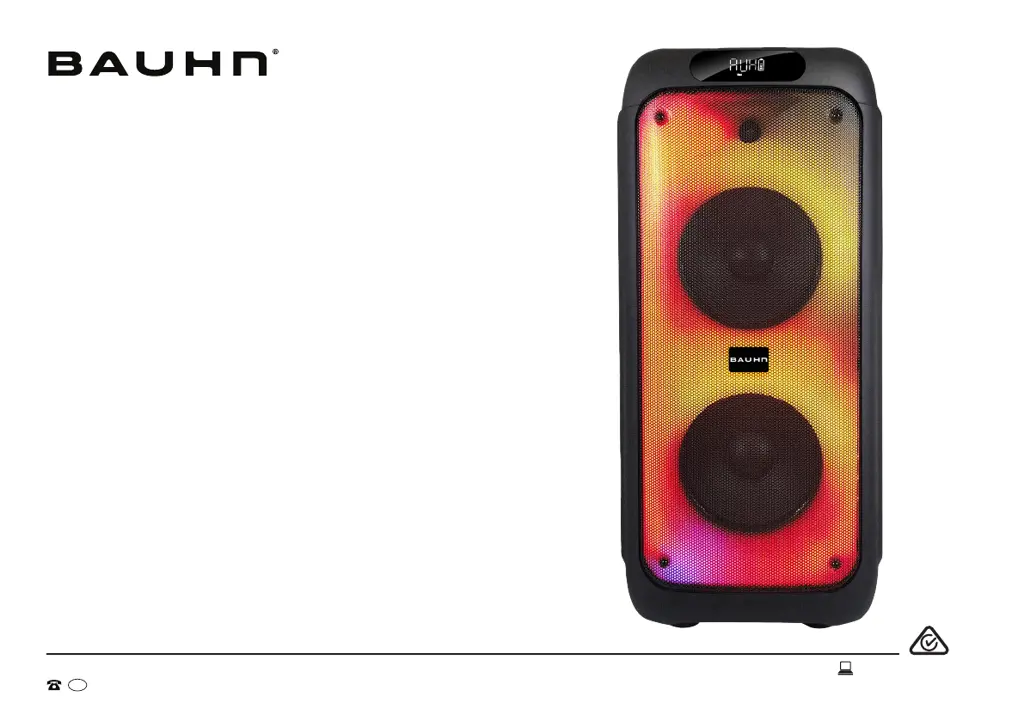
Bauhn APPS-0723 - User Manual

Bauhn APPS-0723
20 pages
Print Icon
To Next Page IconTo Next Page
Loading...
User Manual
MODEL: APPS-0723
Portable
Party Speaker
AFTER SALES SUPPORT
1300 002 534
tempo.org/support
MODEL: APPS-0723 PRODUCT CODE: 712896 07/2023
AUS

Questions and Answers

  • L
    Lucas PowersAug 13, 2025
    What to do if I can't find BAUHN APPS-0723 in the Bluetooth device list when pairing?
    • C
      courtneyjonesAug 13, 2025
      If you are unable to find the BAUHN APPS-0723 in the Bluetooth device list when pairing: * Verify that you have paired the speaker with your Bluetooth-enabled device. * Make sure the Bluetooth function is activated on your Bluetooth-enabled device. * Only one device can be paired with the speaker at a time, so disconnect the Bluetooth connection from your smartphone if you want to use a different Bluetooth device. * Press the / buttons on the speaker simultaneously to disconnect the existing paired device.
  • R
    Ryan PowellAug 17, 2025
    What to do if there is no power on my Bauhn APPS-0723?
    • C
      Colleen DavisAug 17, 2025
      If your Bauhn Portable Speakers have no power, ensure that the battery is charged or the power adapter is properly connected.
  • L
    laurabrownAug 21, 2025
    What to do if the remote control does not work for Bauhn Portable Speakers?
    • R
      Ryan MorenoAug 21, 2025
      If the remote control for your Bauhn Portable Speakers isn't working, try these steps: * Move closer to the speaker while using the remote. * Make sure to aim the remote directly at the sensor on the front of the unit. * Check that the battery is correctly installed. * If needed, replace the battery with a new one.
  • I
    Isaac PalmerAug 25, 2025
    Why is my wired microphone or guitar not working with my Bauhn Portable Speakers?
    • L
      Lori KlineAug 25, 2025
      If your wired microphone or guitar isn't working with your Bauhn Portable Speakers, try the following: * Ensure the MIC VOLUME control knob and GT+ button are turned to the maximum level. * Verify that the microphone or guitar is correctly plugged into the MIC/GUITAR ports.
  • J
    Julie WashingtonAug 28, 2025
    How to fix general sound issues with Bauhn APPS-0723?
    • D
      dsnyderAug 28, 2025
      If you are experiencing general sound issues with your Bauhn Portable Speakers: * Ensure the speaker is set to the correct mode. * Check that the volume control knob is not set to the minimum. * Turn the volume knob to increase the volume. * Press the VOL + button on the remote to increase the volume. * In Bluetooth mode, make sure the speaker is paired to the correct Bluetooth device. * In AUX mode, ensure you have connected the audio cable to the AUX port of the speaker and the external device's volume is on.
  • T
    Terry HoldenSep 1, 2025
    What to do if my Bauhn Portable Speakers have no response?
    • K
      Kim ValenciaSep 1, 2025
      If your Bauhn Portable Speakers are not responding, turn off the power switch, wait approximately 5 seconds, and then turn the switch back on.
  • D
    Denise BestSep 4, 2025
    Why is there distorted noise coming from the microphone on my Bauhn APPS-0723 Portable Speakers?
    • N
      Nicholas GilbertSep 4, 2025
      If you are experiencing distorted noise from the microphone on your Bauhn Portable Speakers: * Maintain a distance of at least 1 meter between the microphone and the speaker to prevent interference. * Ensure the microphone is not too close to a power source, as this can also cause interference.
  • J
    Jamie CarterSep 9, 2025
    How to fix echo function not working for wired microphone on Bauhn APPS-0723?
    • A
      Alisha AndersonSep 9, 2025
      If the echo function is not working for your wired microphone on your Bauhn Portable Speakers: * Check that the wired microphone is properly plugged into the Mic port of the speaker. * Adjust the microphone echo volume by pressing the MIC button on the speaker. Note: The echo function is not supported for guitar microphones.

Summary

Welcome

Unpack and Prepare

Whats in the box

Lists the items included in the product packaging.

Product Overview

Speaker Overview

Details the main components and features of the speaker unit.

Back Panel

Shows and describes the ports and connectors on the rear of the speaker.

Control Panel

Remote Control

Setup

Instructions for inserting batteries into the remote control.

Precautions When Using Batteries

Safety guidelines for battery usage and disposal.

Remote Overview

Wireless Microphone

Setup

Instructions for inserting batteries into the wireless microphone.

Precautions When Using Batteries

Safety guidelines for battery usage and disposal.

Operation

Charging and Power On

How to charge the speaker and turn it on.

Control Panel Operations

Explains how to use the speaker's control panel buttons.

Battery Status

How to check the speaker's battery level.

LED Light

How to control the speaker's LED lighting effects.

Bluetooth Mode

Instructions for connecting and using the speaker via Bluetooth.

TWS (True Wireless Stereo) Mode

How to pair two speakers for stereo sound.

AUX Mode

Instructions for connecting devices via the AUX input.

USB Mode

How to play music from a USB drive.

FM Mode

How to use the speaker as an FM radio.

Micro SD Card Mode

How to play music from a Micro SD card.

Recording

How to record audio using a USB/SD card.

Microphone

How to connect and use wired microphones.

Guitar

How to connect and use a guitar.

Troubleshooting

Power and Remote Issues

Solutions for no power and non-functional remote control.

Microphone and Audio Input Problems

Troubleshooting microphone echo, wired mic/guitar, and noise issues.

Speaker Responsiveness and Connectivity

Solutions for speaker unresponsiveness and audio interference.

Bluetooth Pairing and Sound Issues

Resolving Bluetooth pairing failures and general sound problems.

Specifications

Compliance and Responsible Disposal

Packaging Disposal

Information on environmentally friendly packaging disposal.

Product Disposal

Guidance on environmentally friendly product disposal at end of life.

Safety Compliance

Statement on product compliance with Australian Safety Standard.

Warranty Information

Repair and Refurbished Goods Notice

Online Support and Returns

Warranty Returns Process

Instructions for returning the product for warranty claims.

Product Troubleshooting Support

Contact information for troubleshooting product issues.

Bauhn APPS-0723 Specifications

General IconGeneral
BrandBauhn
ModelAPPS-0723
CategoryPortable Speakers
BluetoothYes
ConnectivityBluetooth
Weight0.5 kg

Related product manuals