EasyManua.ls Logo

Bauhn APPSK-1120 - User Manual

Bauhn APPSK-1120
20 pages
Print Icon
To Next Page IconTo Next Page
Loading...
User Manual
MODEL: APPSK-1120
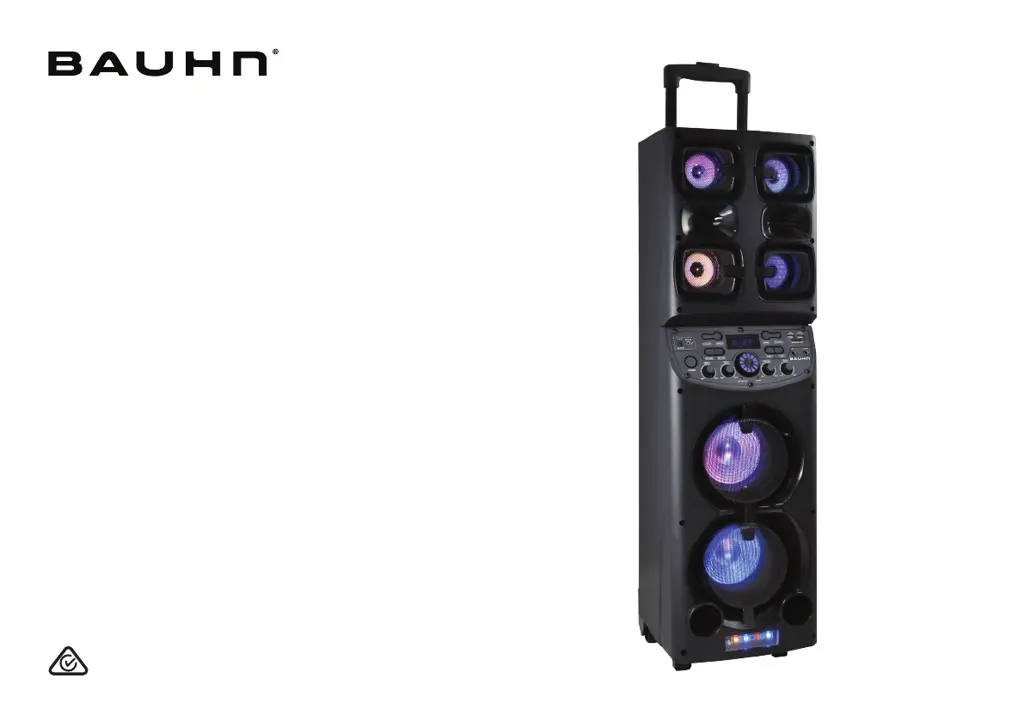
Portable Party Speaker

Questions and Answers

  • T
    Thomas WilkinsAug 15, 2025
    Why can't I find my BAUHN APPSK-1120 in the Bluetooth device list when pairing?
    • M
      Mary BakerAug 15, 2025
      If you're unable to find your BAUHN APPSK-1120 in the Bluetooth device list: * Ensure you have paired the speaker with your Bluetooth enabled device. * Ensure the Bluetooth function is activated on your Bluetooth enabled device. * Press and hold the button on the remote for 3 seconds to disconnect the existing paired device.
  • A
    Amber ThompsonAug 18, 2025
    Why is there general sound issue with my Bauhn Portable Speakers?
    • D
      Daniel MillerAug 18, 2025
      If you are experiencing general sound issues with your Bauhn Portable Speakers, here are a few things to check: * Ensure the speaker is set to the correct mode and the volume knob is not set to off. * Increase the volume by turning the volume knob or pressing the VOL + button on the remote. * In Bluetooth mode, verify that the speaker is paired to the correct Bluetooth device. * In AUX mode, confirm that the audio cable is connected to the AUX port of both the speaker and the external device, and that the external device's volume is turned up. * In FM mode, make sure you are in FM mode and press the button to search for FM stations. Adjust the position of the FM antenna to achieve a good signal.
  • J
    Joe DeanAug 21, 2025
    What to do if my Bauhn APPSK-1120 remote control does not work?
    • V
      vhessAug 21, 2025
      If the remote control for your Bauhn Portable Speakers isn't working, try these steps: * Use the remote closer to the speaker, aiming directly at the sensor on the front of the unit. * Check if the battery is installed correctly. * Replace the battery.
  • J
    James KnappAug 25, 2025
    What to do if my wired microphone or guitar microphone is not working with Bauhn Portable Speakers?
    • J
      James GibbsAug 26, 2025
      If your wired microphone or guitar microphone isn't working with your Bauhn Portable Speakers, try the following: * Turn the MIC volume to maximum. * Ensure the microphone is properly plugged into the MIC/GUITAR ports.
  • R
    Richard SanchezAug 28, 2025
    How to fix distorted noise coming from microphone on Bauhn APPSK-1120 Portable Speakers?
    • M
      matthewnortonAug 28, 2025
      To resolve distorted noise from the microphone on your Bauhn Portable Speakers: * Maintain at least 1 meter of distance between the microphone and the speaker to avoid interference. * Ensure the microphone isn't too close to a power source, as this can also cause interference. * Turn the power switch off and then on again.
  • K
    Krystal WardSep 1, 2025
    What to do if my Bauhn APPSK-1120 have no power?
    • C
      Christopher ParkerSep 1, 2025
      If your Bauhn Portable Speakers have no power, ensure that the battery is charged or the power adapter is connected.
  • E
    efloresSep 4, 2025
    What to do if my Bauhn APPSK-1120 are not responding?
    • M
      Maria GarzaSep 4, 2025
      If your Bauhn Portable Speakers are not responding, turn the power switch off and then on again.
  • J
    James ThompsonSep 7, 2025
    How to fix echo function not working for wired microphone on Bauhn APPSK-1120?
    • W
      Wesley SmithSep 7, 2025
      If the echo function isn't working for your wired microphone on the Bauhn Portable Speakers: * Check that the wired microphone is properly plugged into the Mic port of the speaker. * Note that the echo function is not supported for guitar microphones.
  • T
    Timothy MasseySep 10, 2025
    What to do if my Bauhn APPSK-1120 wireless microphone does not work?
    • N
      Nicole WilsonSep 10, 2025
      If the wireless microphone for your Bauhn Portable Speakers isn't working: * Check that the microphone switch is set to ON and not at MUTE. * Please check the battery is installed correctly. * Replace the battery.

Summary

Welcome

Unpack and Prepare

Whats in the box

Lists all items included in the product packaging for user verification before setup.

Product Overview

Speaker Overview

Details the front and rear views of the speaker, identifying key components and their labels.

Control Panel Features

Remote Control

Remote Control Setup

Instructions for inserting batteries into the remote control for initial setup.

Battery Precautions

Important safety guidelines and precautions for using batteries in the remote control.

Remote Control Overview

Wireless Microphone

Wireless Microphone Setup

Instructions for inserting batteries into the wireless microphone for operation.

Microphone Battery Precautions

Important safety guidelines and precautions for using batteries in the wireless microphone.

Operation

Charging and Power On

Guidance on charging the speaker and turning it on/off using the device and remote.

Control Panel Operations

How to use the speaker's control panel for playback, volume, and mode selection.

Battery Status

How to check the speaker's battery level via the LED display screen.

LED Light

Instructions on how to turn the speaker's LED lights on or off.

Bluetooth Mode

AUX Mode

USB Mode

Micro SD Card Mode

FM Mode

Microphone Operation

Recording Function

USB Charging Port

Troubleshooting

No Power Issues

Solutions for the speaker not turning on, checking power and adapter connections.

Remote Control Malfunction

Troubleshooting steps for when the remote control does not work, including placement and battery checks.

Wireless Microphone Issues

Solutions for the wireless microphone not functioning, checking power and battery installation.

Wired Microphone Problems

Troubleshooting for echo function and wired/guitar microphone connectivity issues.

Microphone Noise

Solutions for distorted noise from the microphone, checking distance and power source proximity.

Troubleshooting Further Issues

Speaker Unresponsive

Steps to resolve issues where the speaker does not respond to commands.

Bluetooth Pairing Problems

Guidance on resolving issues when the speaker cannot be found or paired via Bluetooth.

General Sound Issues

Solutions for general sound problems, including mode, volume, and FM reception.

Specifications

Compliance and Responsible Disposal

Packaging Disposal

Guidance on the proper disposal and recycling of product packaging materials.

Product Disposal

Instructions for environmentally friendly disposal of the product at its end of life.

Product Compliance

Information on the product's compliance with Australian Safety Standard AS/NZS 62368.1.

Warranty Information

Repair and Refurbished Goods Notice

Customer Support and Returns

Manual Guidance

Recommendation to read the manual for optimal product use and support information.

Warranty Returns

Instructions for returning the product for a warranty claim, including accessories.

Product Not Working

Guidance on contacting the After Sales Support Centre for product issues or performance expectations.

Bauhn APPSK-1120 Specifications

General IconGeneral
BrandBauhn
ModelAPPSK-1120
CategoryPortable Speaker
ConnectivityBluetooth
Power SourceBattery
Charging Time3 hours

Related product manuals