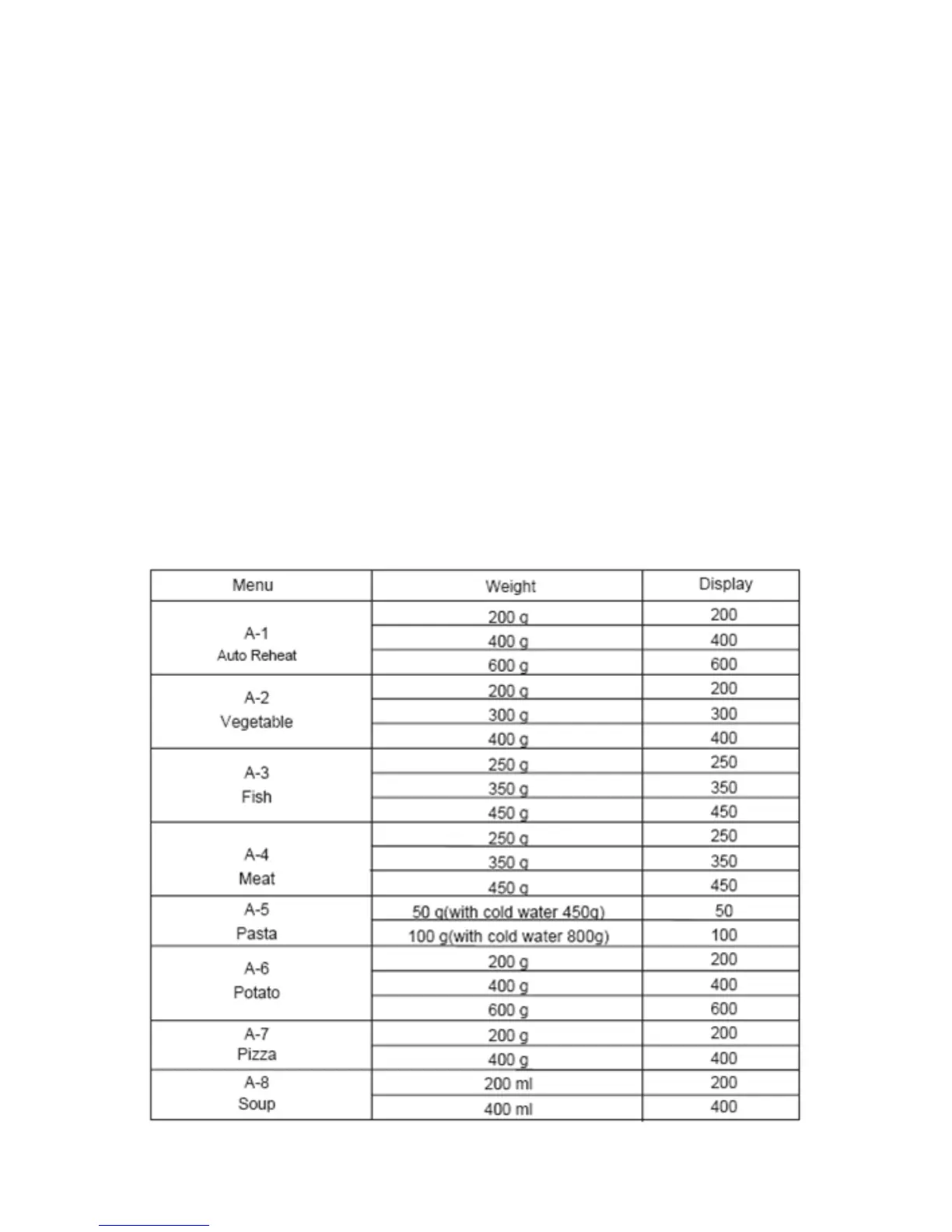
Auto menu function
o Your microwave has menus pre-programmed into it, where it will
cook particular types of food on pre-set power levels and for pre-
set periods of time.
o Press the auto menu button (I) to access the auto menu
function, the LED display (A) will show “A-1”.
o Turn the adjustment dial (G) to select the food type that you
want to cook.
o Press the auto menu button (I) to confirm the food type.
o Turn the adjustment dial (G) to select the weight of the food
that you want to cook. The letter “g” will appear on the LED
display (A) to indicate grams.
o Press the Quick Start/Start button (C) and your microwave will
start to heat. The gram symbol will go out and the cooking time
will start counting down on the LED display (A).
Auto menu chart
20






 To Next Page