16
Automatic defrost
o Check that the rotating plate and rotating base are correctly
assembled in the cavity.
o Place whatever you are defrosting in the centre of the microwave
cavity and then close the microwave door. IMPORTANT: You
should make sure that the door of the microwave is shut
securely.
o After initially supplying power to the appliance, the
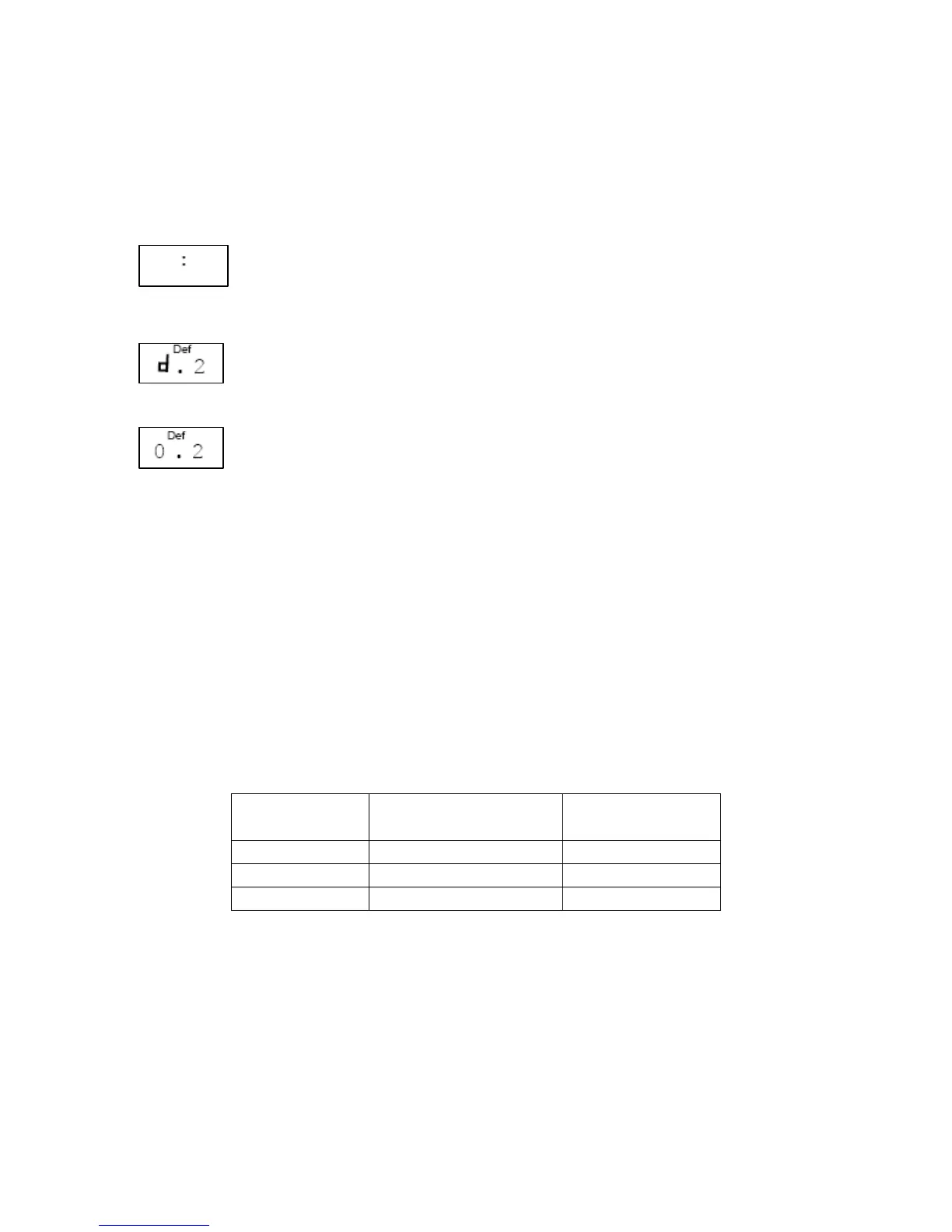
colon on the LCD display will flash. Press the stop /
clear button (3) once to enter manual mode.
o Press the defrost button (8) repeatedly to select the
defrost level from the following options: d1
Æ
d2
Æ
d3. Please see the table below for a defrost level guide.
o Set the appropriate weight of the food you wish to
defrost using the plus (2) and minus (5) buttons.
o Start the defrost function by pressing the instant / start button
(4). The LCD display will show the remaining defrost time which
the appliance has calculated, based on the information you have
programmed.
o Half way through the defrosting time, 3 beeps will sound to
prompt you to turn over the food to ensure thorough defrosting.
Press the instant / start button again to continue the defrosting
process once the food has been turned.
o If you do not turn the food over, the defrosting cycle will
continue automatically.
LED display Defrost level
suitable for…
Weight range
(kg)
d.1 Defrosting meat 0.1 – 2.0
d.2 Defrosting poultry
0.2 – 3.0
d.3 Defrosting seafood
0.1 – 0.9
o Usually the defrosting process will take a longer time to
complete than cooking the food. If the food can be cut by a
knife, this usually indicates the defrosting is complete.
o For optimum defrosting results, see the instructions in the table
below for defrosting specific foods.









 To Next Page