16
has been set and you wish to
e the oven in manual operation mode, you will need to cancel
o To select manual operation mode, press the duration and
o The “A” symbol will disappear from the LCD display and the
l will appear instead.
here are 3 levels of audible signal available; to adjust it you should
the timer display, press the
minus button for approximately 2 seconds. You will then hear
o Repeat this process until the audible signal reaches the level that
tion and temperature
Cancelling an automatic cooking function
If an automatic cooking function
us
the automatic cooking function.
cooking end time buttons simultaneously.
“manual operation” symbo
Adjusting the audible signal
T
do the following:
o When the time of day is shown on
the next level of audible signal.
you require, and then release the minus button.
Selecting a cooking func
hould
ents
lect.
hen a function is selected, the power
dicator light will come on.
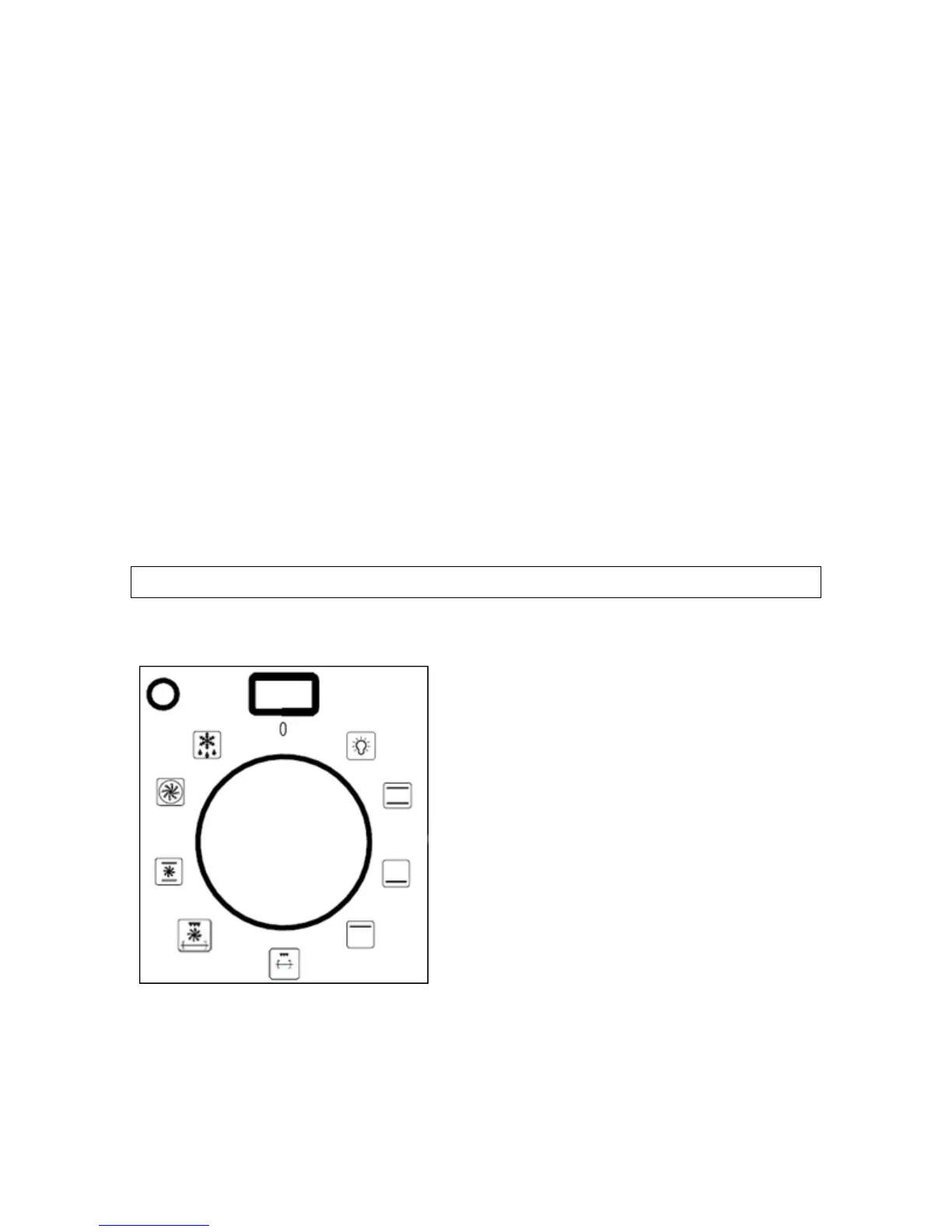
Selecting an oven function
The oven function selector knob s
be used to select the particular mode
of cooking that you require. The
appliance will utilise different elem
within the oven cavity, depending on
the oven function that you se
W
in



 To Next Page