Baur Test Equipment Ltd, C1 Connaught Business Centre, 49 Imperial Way, Croydon, CR0 4RR, UK.
0208 661 0957 sales@baurtest.com www.baurtest.com User Manual Version Number UM-TDR811210126
4. Operation
Upon completion of the set-up procedures press “ESC” key (2) to return to main menu and press “Enter” (8) to select “1.
Measurements”.
4.1. Measurement display
In the following instructions, to change settings press key “SET/SEL” (9) to highlight a parameter, press up or
down arrow (3) or (6) to select required value. After measurements are completed, switching on again, all of the
previously used settings will re-appear.
4.2. Setting cable parameters
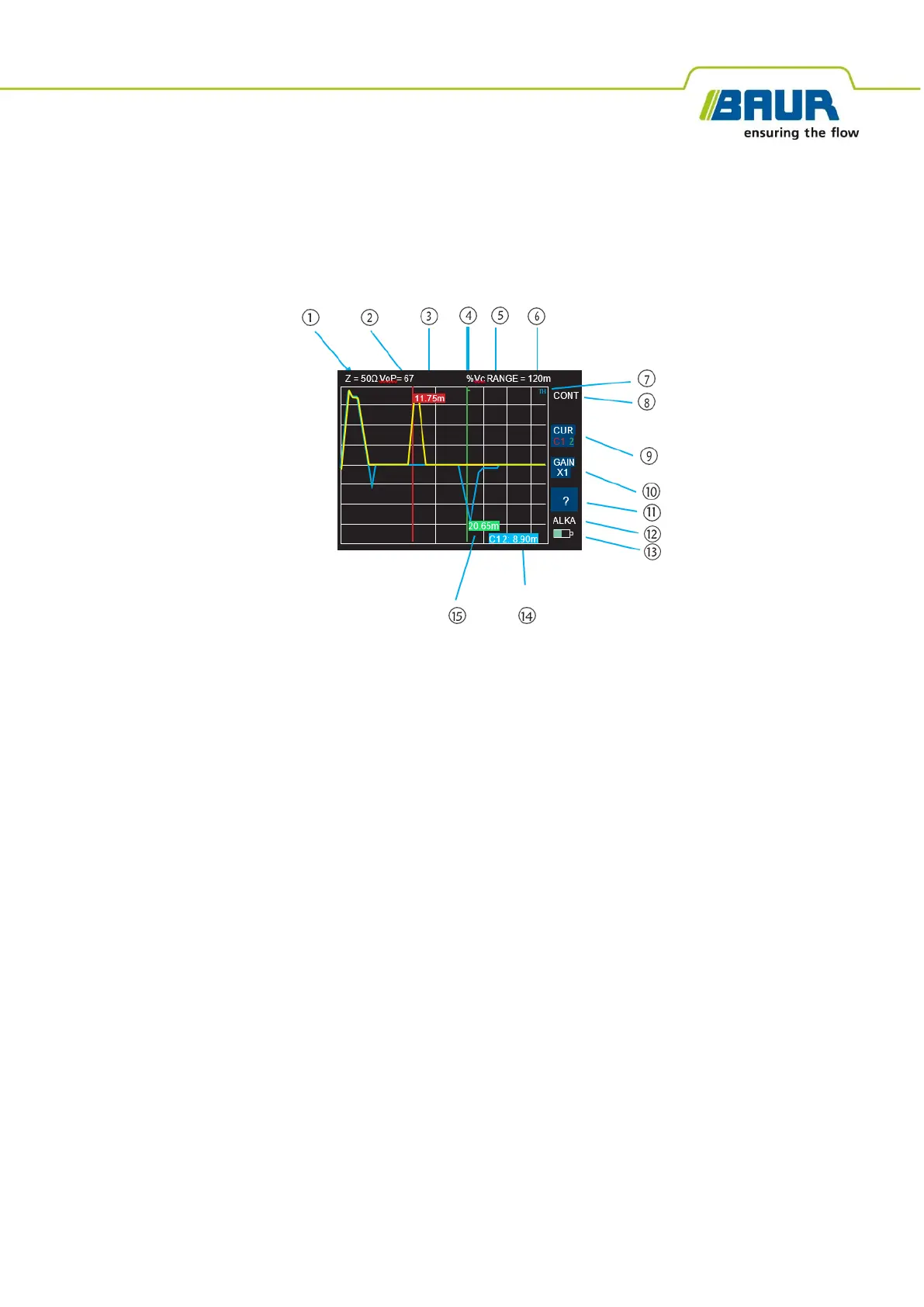
Characteristic Impedance
setting, shown at position (1) on screen, is selectable for 25, 50, 75, 100 or 120 ohms. To change the
Characteristic Impedance,
press “SET/SEL” (button 9) until “Z” is highlighted in yellow. Press the UP (button 3) or DOWN
(button 6) keys until the chosen Impedance value is selected.
For all TDRs fitted with a 600V Cat IV mains blocking filter,
the filter may have an impact on the displayed trace. It may be that setting the impedance value is a matter of
preference after experience on the users own network. As a rough guide, for LV power cables the actual impedance
varies from 6 Ohms for some service cables to about 25 Ohms for LV mains, about 50 Ohms for 11kV and 33kV cables
and about 100 Ohms for pilot cables.
Velocity of Propagation value, VOP
, is selectable between 10 and 99% or an equivalent in feet or meters per micro
second. To change VOP,
press “SET/SEL” (button 9) until “VoP” is highlighted in yellow. Press the UP (button 3) or DOWN
(button 6) keys until the chosen value is selected, shown
on the display at (2) and (3).


 To Next Page
 Loading...