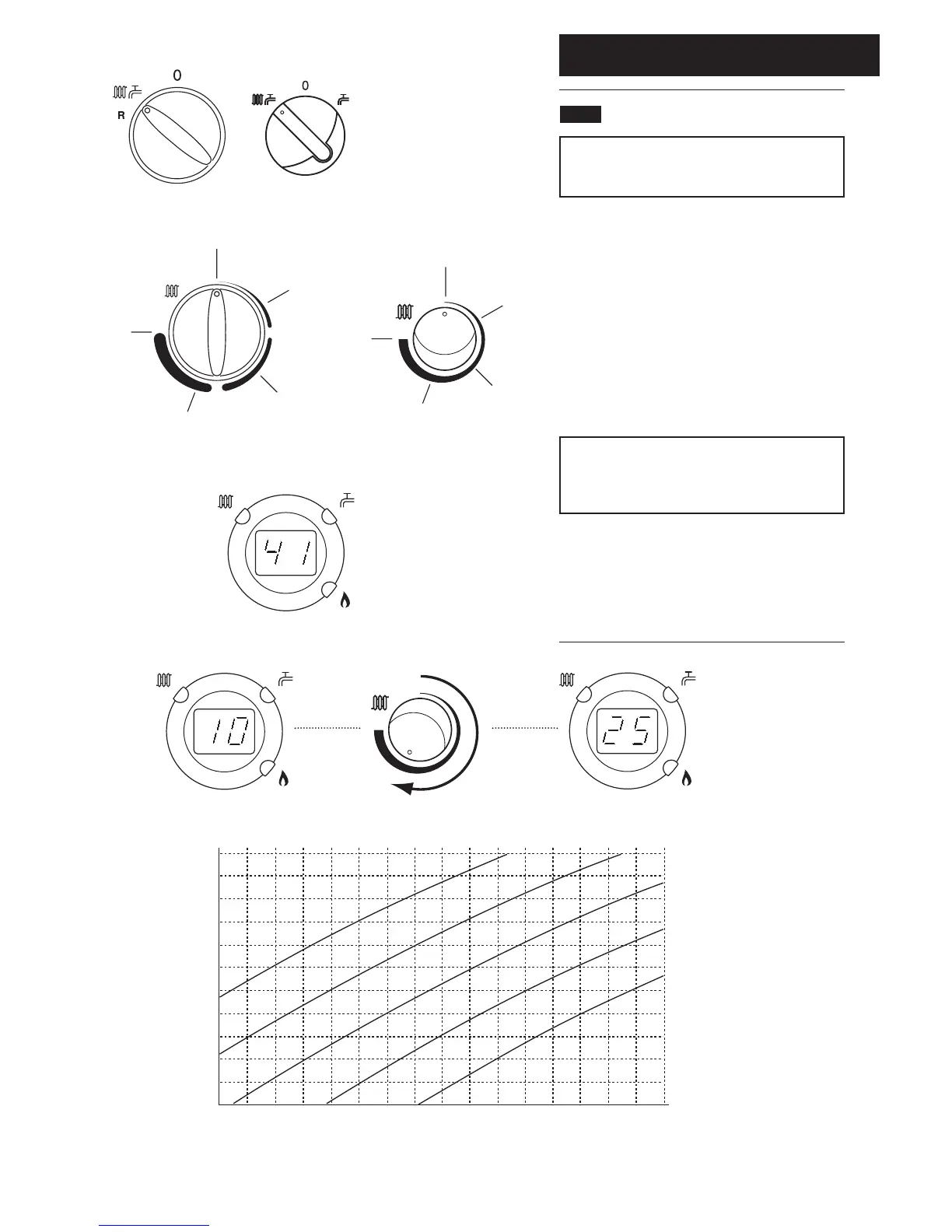
4.1 Setting the Sensor Curve
NOTE: Depending upon model of boiler either of two
types of Selector Switch and Central Heating Control
Knob will be fitted.
1. Ensure that there is power to the boiler (though it is
not necessary for there to be any heating demand). Turn
the selector switch to the boiler ON position (Fig. 16,
Combi versions illustrated).
2. The Central Heating Control Knob should be turned
clockwise to the position in Fig. 17 which corresponds
with the desired curve as shown on the graph below.
3. Normally the display will show the current temperature
of the water in the boiler (e.g. 41°C, Fig. 18). As the knob
is turned the display will show the selected curve (Fig. 19).
For example, if Curve 25 is selected, at an outside
temperature of 5°C the boiler flow temperature will
be 57°C. In the event of the outside temperature
falling to 0°C, the boiler flow will increase to 63°C.
3. Continue with the installation and commissioning of the
boiler as described in the Installation & Servicing
Instructions.
4. Explain to the user how to select a different
temperature curve
4.0 Setting
Fig. 16



 To Next Page