Tab.58 Burner control menus
Parameter num
ber
Parameter Description
9512 Required speed ignition Ignition speed set point adjustable on the operating interface.
9524 Required speed LF Rotation speed set point at partial load adjustable on the operating interface.
9529 Required speed HF Rotation speed set point at nominal load adjustable on the operating interface.
6624 Manual source lock
10.2
Setting the parameters
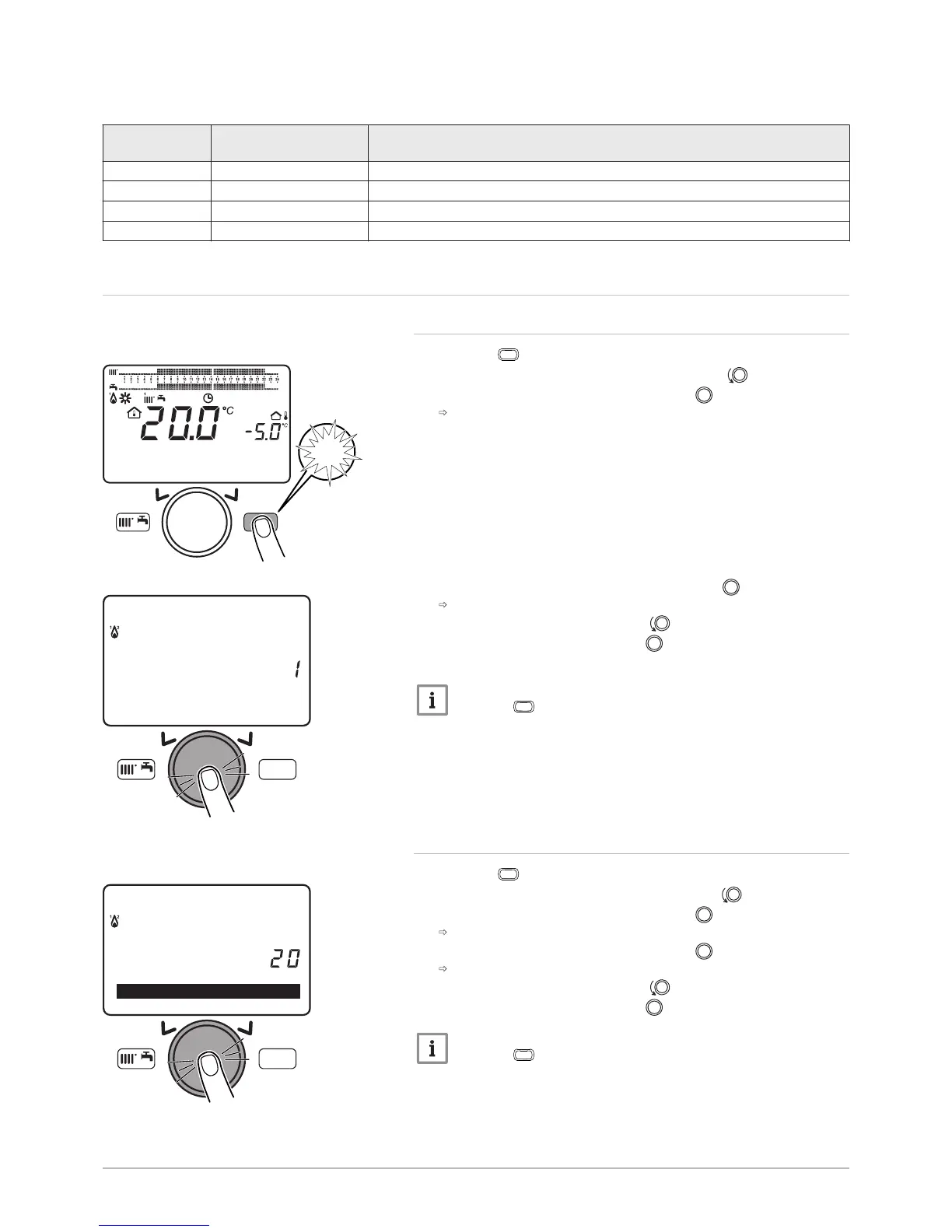
10.2.1 Setting the date and time
1. Press the
key to access the parameters.
2. Select the Set time and date menu by turning the button.
3. Confirm the menu selection by pressing the button.
The parameter Hours / minutes appears.
4. Confirm the parameter selection by pressing the button.
The parameter flashes, it can be modified.
5. Modify the parameter by turning the button.
6. Confirm the setting by pressing the button.
7. Set the other parameters if necessary.
Important
Press the
key to return to the main display.
10.2.2 Selecting the language
1. Press the
key to access the parameters.
2. Select the Operator section menu by turning the button.
3. Confirm the menu selection by pressing the button.
The Change Language parameter appears.
4. Confirm the menu selection by pressing the button.
The language currently used flashes.
5. Modify the parameter by turning the button.
6. Confirm the setting by pressing the button.
Important
Press the
key to return to the main display.
Fig.103
MW-3000052-EN-02
MENU
14:13
1.5 ba
MENU
12:00Hours / minutes
Set time and date
MW-3000055-EN-02
7702630 - v02 - 11082018 POWER HT + 91



 To Next Page
 Loading...