48
HOW TO
REPLACE LED LIGHTS IN PLAYFIELD
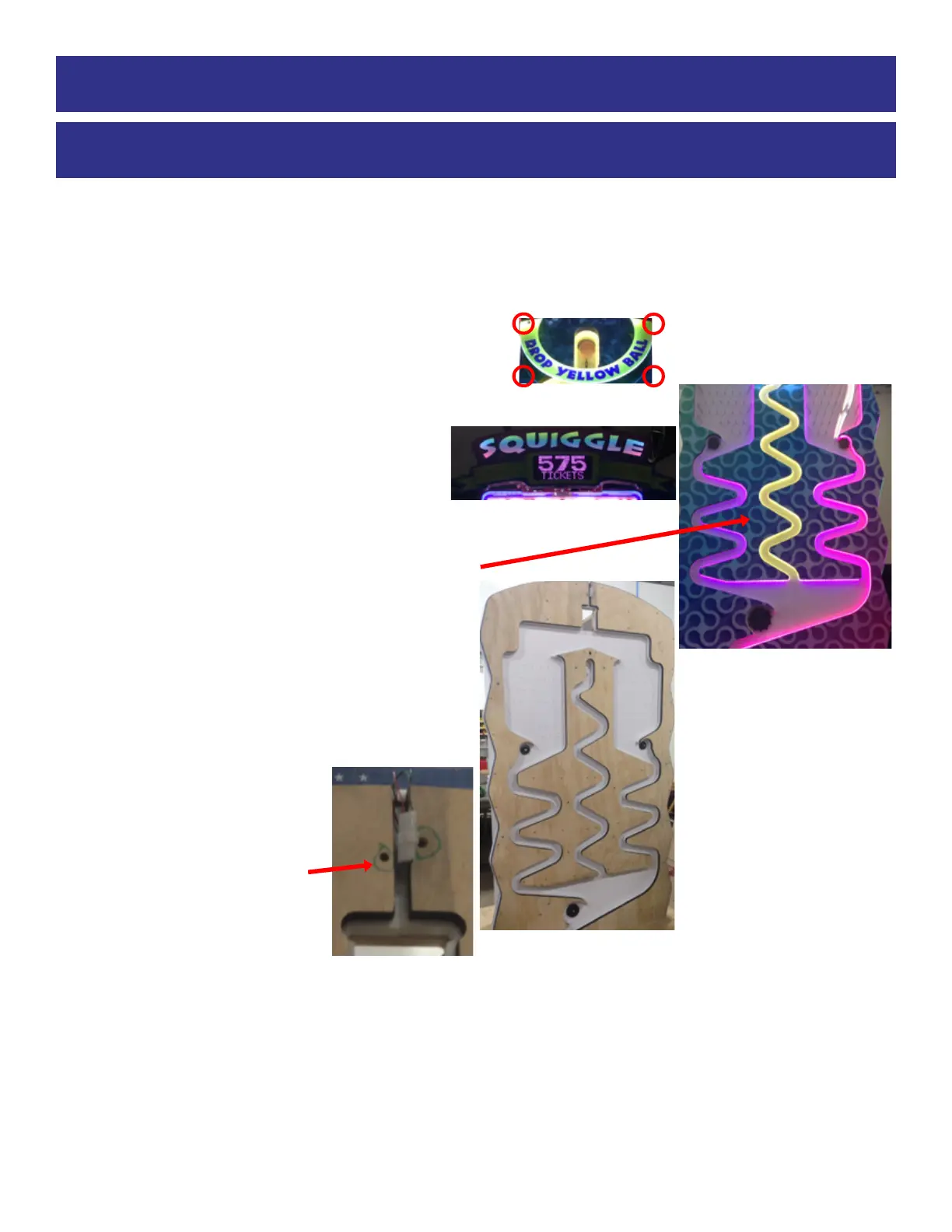
The LED lights are sandwiched between plywood and p
lastic.
If needed to be replaced, the assembly can be remov
ed from the game and brought to a bench to replace a
LED light strip.
To remove and replace:
1.) Remove Arrow Plexi: Remove the 4 of #2 square b
it
screws from top arrow plexi.
From back of cabinet - unplug the cable CE6556 and
remove plexi from front of the cabinet
2.) Remove Marquee: From back of the cabinet:
unplug the CE6533 and CE6531 cables. From the
front of the cabinet: Remove the 4 bolts from edge
of marquee.
Remove the marquee from the cabinet.
3.) Remove all of the #2 square bit screws from fro
nt
plexi and remove plexi from game.
4.) The playfield wood is separated into 3 sections
:
Right, Middle, and Left
Only remove the section that has the faulty LED str
ip.
From back of cabinet - unplug the cables in the
Section you are removing.
Only remove the #2 square bit
screws in that section that are
not
circled. These will be removed
later.
Important: Do not remove the
circled screws at this time!
5.) The wood section can now be removed from the cabinet and brought to a flat bench to remove and
replace faulty LED strip.
6.) Remove the circled screws and lift plywood from
assembly. LED strips can now be replaced.
7.) Re-installation is the reverse of removal.
HOW TO
REPLACE LED LIGHTS IN PLAYFIELD



 To Next Page