ROJUSTING
THE
X-OVER RNO
BRSS
(Please
note:
If
you
intend to
use
the
ELR265,
ELR2100
and
ELR2150
in
the Tri-mode
configuration.
it
is necessary to set the crossover control to the
LLFLRT"
setting
in
order to
receive full range output)
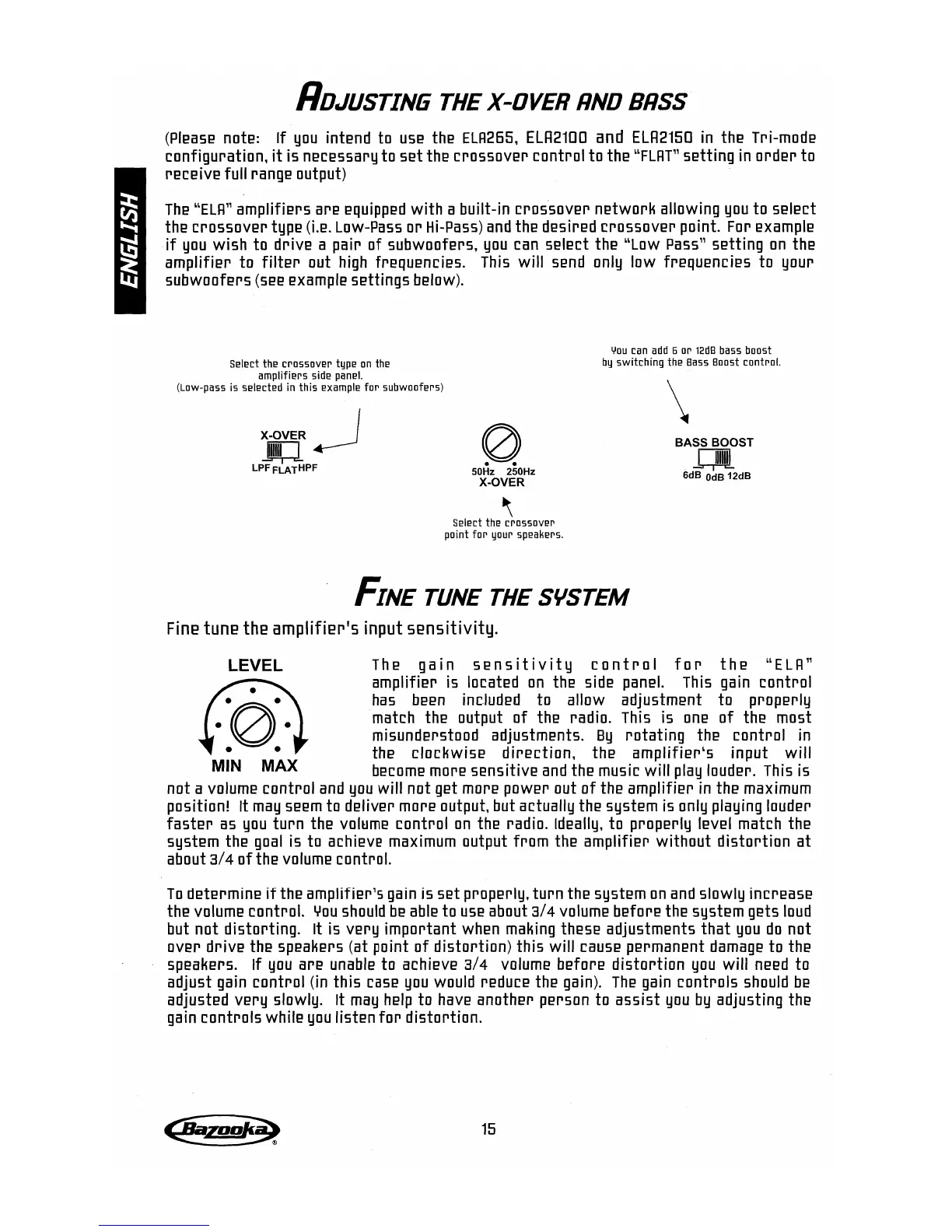
The
LLELR"
amplifiers are
equipped
with a built-in crossover network allowing
you
to select
the crossover type
(Le.
Low-Pass
or
Hi-Pass)
and
the desired crossover point. For example
if
you
wish to drive a pair of subwoofers.
you
can
select the
LLLow
Pass"
setting
on
the
amplifier to
filter
out
high
frequencies.
This
will
send
only low frequencies to your
subwoofers
(see
example settings below).
SE!IE!ct
thE!
crllSSIlVE!r
typE!
Iln
thE!
amplifiE!rs side
panE!1.
(Lllw-pass is
sE!lE!ctE!d
in this
E!xample
fill" subwllllfers)
X-OVER I
.g;:J..---J
LPFFLATHPF
o
50Hz 250Hz
X-OVER
~
SE!lect
the
crOSSOVE!r
point
for
your
spE!akE!rs.
YIlU
can
add
6
Ill"
12dB
bass boost
by
switching
thE!
Bass
Boost control.
\
BASS BOOST
U
6dB
OdB
12dB
FINE
TUNE
THE
SYSTEM
Fine tune the amplifier's input
sensitivity.
LEVEL
The ga
ins
ens
it ivit Y cont r0 I
for
the
LL
ELR"
amplifier is located
on
the side
panel.
This
gain
control
has
been
included to allow adjustment to properly
match the output of the radio.
This
is
one
of the most
misunderstood adjustments.
By
rotating the control
in
the clockwise direction. the amplifierLs input
will
MIN MAX
become
more sensitive
and
the music will
play
lOUder.
This
is
not a
volume
control
and
you
will not get more power out of the amplifier
in
the maximum
position! It
may
seem
to deliver more output. but actually the system
is
only playing louder
faster
as
you
turn the
vol~me
control
on
the radio. Ideally. to properly level match the
system the
goal
is to achieve
maximum
output from the amplifier without distortion at
about
3/4
of
the
volume
control.
To
determine
if
the amplifier's
gain
is set properly. turn the system
on
and
slowly increase
the volume control.
You
should
be
able
to
use
about
3/4
volume
before the system gets
loud
but not distorting. It is very important when
making
these adjustments that
you
do
not
over drive the speakers (at point of distortion) this will
cause
permanent
damage
to the
speakers.
If
you
are
unable
to achieve
3/4
volume
before distortion
you
will
need
to
adjust
gain
control (in this
case
you
would reduce the gain).
The
gain
controls
should
be
adjusted very slowly. It
may
help
to
have
another person to assist
you
by
adjusting the
gain
controls while
you
listen
for
distortion.
15


 To Next Page
 Loading...