3
the direction indicated by the arrow.
Insert 2 AA batteries (included) in
the compartment making sure to respect
the polarity and put back the door
by sliding it back in place.
• Follow this step whenever the LCD screen
displays the ashing low battery symbol
which means batteries need to
be replaced.
2. In order to obtain reliable and stable
results:
• For the rst use or each time there
is a signicant change in the ambient
temperature, please wait from 10 to 15
minutes for the Termö to acclimate
to the new environment.
• Allow 3 to 5 seconds interval between
two measurements.
• Push back hair from the forehead
and wipe away any perspiration.
• Avoid any drafts (e.g. from air
conditioning, etc.).
The surface temperature differs
from the internal body temperature.
To obtain the internal temperature,
always use the BODY mode.
Please make sure to select
SURFACE TEMP mode
for an external area reading.
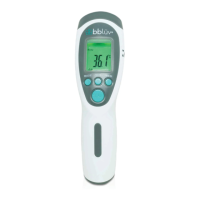
Getting started with the Termö
Your Termö is designed to let you measure
different types of temperature by letting you
choose the proper mode beforehand.
1. Press the ON / SCAN button for one
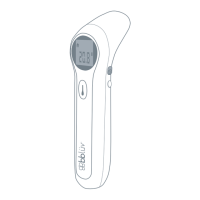
Infrared
lens
MUTE
button
MEMORY
button
ON/SCAN
button
CELSIUS or
FAHRENHEIT
button


 To Next Page