Need help?
Do you have a question about the bbluv Termo and is the answer not in the manual?
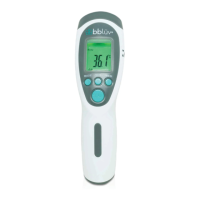
Explains the Termö thermometer's technology, its use, and benefits for the family.
Lists all items included in the product package for the user.
Details compliance with standards and EMC precautions for safe operation.
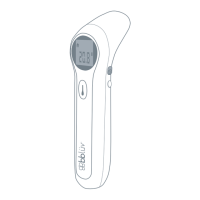
Identifies and labels each part of the thermometer for user understanding.
Provides crucial notes on body temperature variations and measurement conditions.
Step-by-step guide to insert batteries correctly into the device.
Instructions for achieving reliable results before use, including acclimation.
Initial steps to turn on and use the thermometer for the first time.
How to switch between Celsius and Fahrenheit units for temperature readings.
How to choose between Body, Surface, and Room temperature modes.
Procedure for aiming the device and scanning for temperature readings.
How to access and use stored measurements from the device's memory.
Steps to adjust the thermometer's accuracy for precise readings against a reference.
Guidance on cleaning and caring for the device to ensure longevity.
Important safety precautions and usage restrictions to prevent damage or injury.
Solutions for common display messages and operational issues encountered by users.
Explains the meaning of HI and LO messages displayed on the screen.
Details specific reasons and advice for LO messages to resolve issues.
Key technical details and operating conditions for the thermometer.
Specifies accuracy, temperature limits, and measurement range for the device.
 General
| Measurement Site | Forehead |
|---|---|
| Response Time | 1 second |
| Display | LCD |
| Fever Alarm | Yes |
| Accuracy | ±0.2°C (±0.4°F) |
| Measurement Time | 1 second |
| Auto Power Off | Yes, after 30 seconds |
| Type | Infrared |
| Power Source | 2 AAA batteries |
| Measurement Range | 32.0°C to 42.9°C |

 To Next Page