To set the display, press and hold for 3 seconds.
The display shows the dierent views.
FRIDAY
14:58
AFTERNOON
JULY19
2019
FRIDAY
IT IS
AFTERNOON
Only available at
the analog SW5 clock.
SET DISPLAY
>
FRIDAY
AFTERNOON
19
JULY
2019
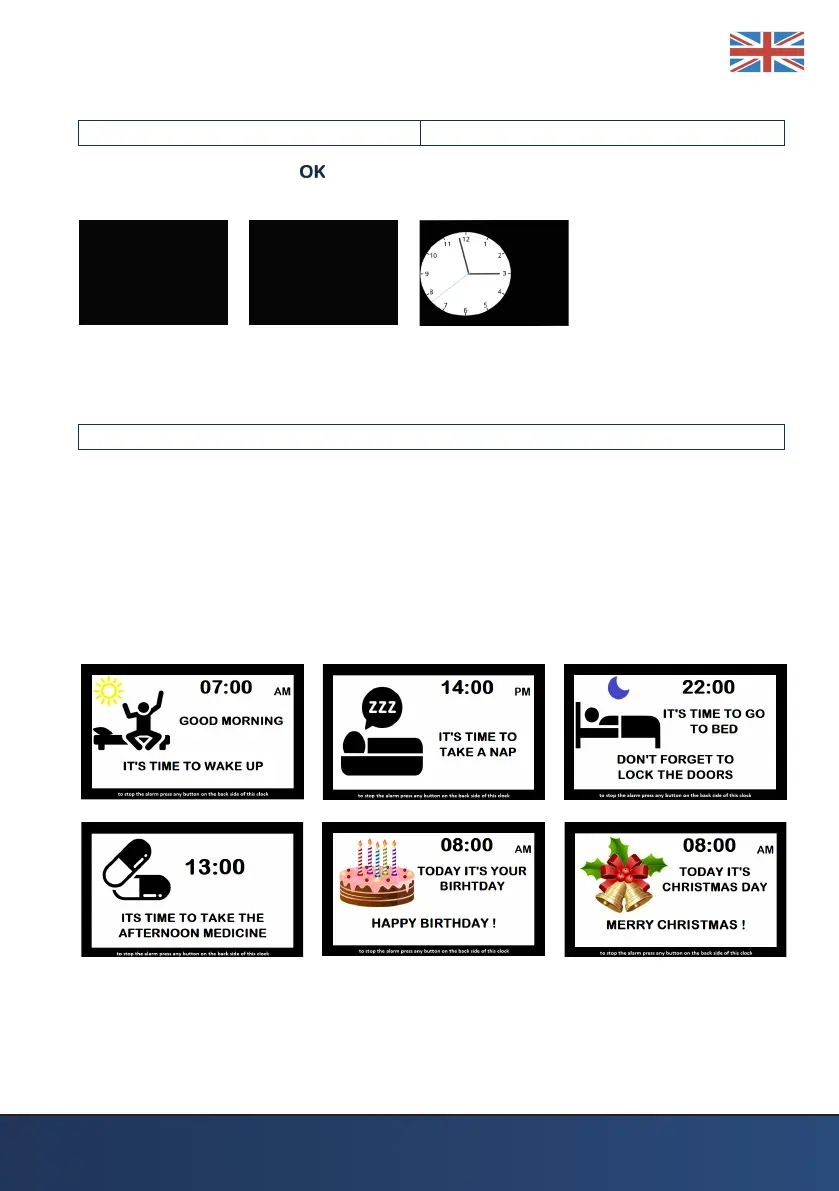
EXAMPLES OF THE DIFFERENT ALARMS AND MEDICINE REMINDERS
When set the alarm(s) and medicine reminder(s), these will appear when the
time is reached. These will be showed with a picture where the time is
displayed with a message in this and a sound for the duration as set. If also a
repeat is set, this will be repeated after ve minutes.
Some examples of these messages will be showed below.
AM / PM are showed when the time mode is set to standard time, otherwise it
will be military time. See Items in menu.



 To Next Page