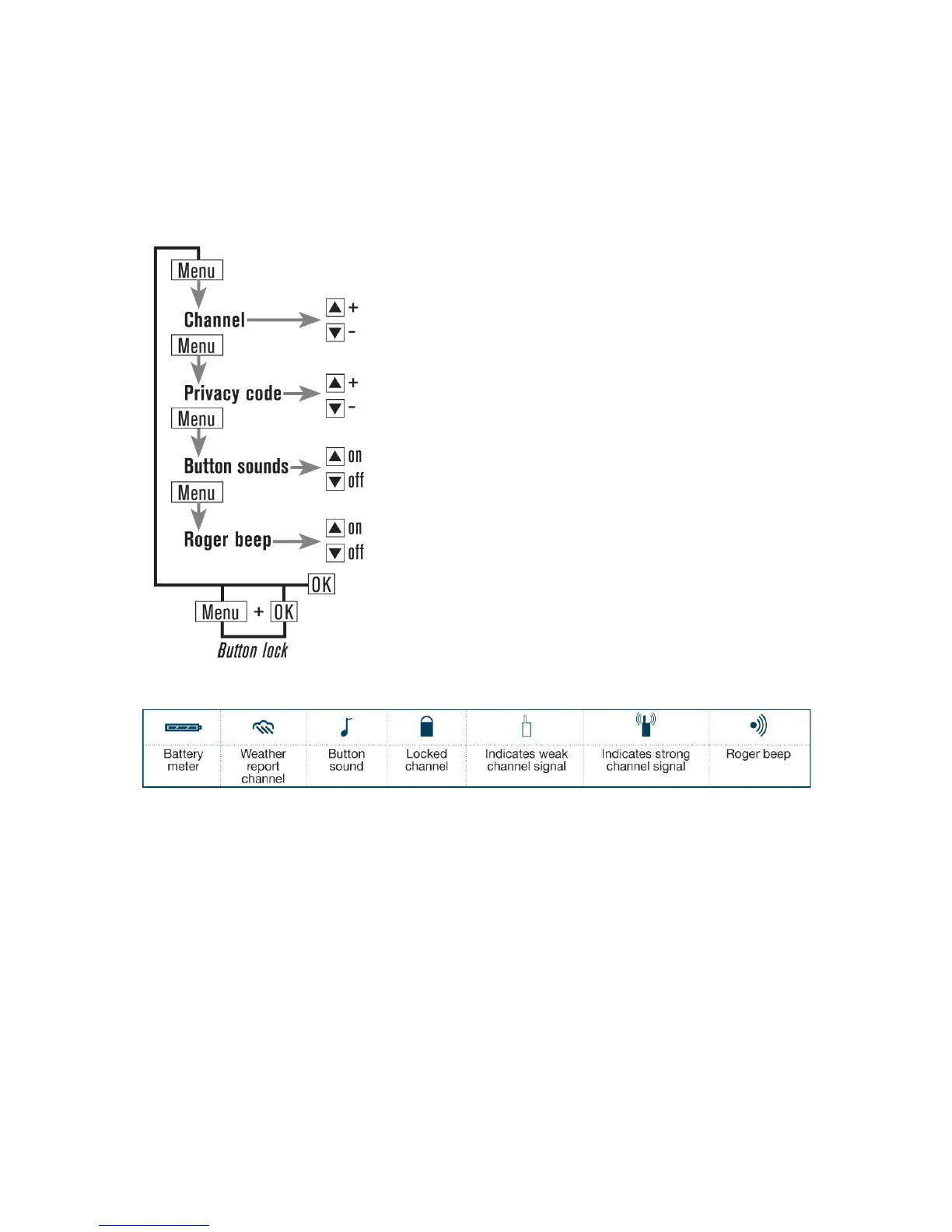
Basic(functions(
This chapter describes how to use basic functions on your BC Link.
User(interface(
Presetting(the(channels((
The BC Link comes with preset channels from the factory:
A Channel 1 privacy code off
B Channel 5 privacy code 10
C Channel 4 privacy code 20
D Channel 8 privacy code 10
E Channel 9 privacy code 11
F Channel 20 privacy code off
With the BC Link, it is possible to preset your own channels using the dial on the Smart
Mic. These can be set to A, B, C, D, E, or F by following these steps:
Turn the radio on, using the power/volume dial.
Select the preset channel (A-F) on the Smart Mic channel selection dial.
Press Menu once (to deactivate the keylock, see below). The channel number will start
flashing in the display. Select desired channel using the up/down buttons. Accept by


 To Next Page