Follow
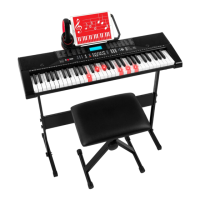
• Press “FOLLOW” to enable the follow teaching function. You can select the song to be learned by pressing the
number buttons or the “+/-” buttons.
• The keyboard will light up according to the main notes, indicating what notes should be played. The keyboard
will wait for you to play the correct notes before continuing.
• Press “START/STOP” or “FOLLOW” to stop the learning mode.
Ensemble
• Press “ENSEMBLE” to enable the ensemble teaching function. You can select the song to be learned by
pressing the number buttons or the “+/-” buttons.
• The keyboard will light up according to the main notes, indicating what notes should be played. The keyboard
will wait 3 seconds for you to play the correct notes (for the correct duration) before continuing.
• Press “START/STOP” or “ENSEMBLE” to stop the learning mode.
One-Key
• Press “ONE KEY” to enable the one-key teaching function. You can select the song to be learned by pressing
the number buttons or the “+/-” buttons.
• The keyboard will light up according to the main notes, indicating what notes should be played. The keyboard
will continue playing even if you make mistakes.
• After the song is finished, the same song will start again.
• Press “START/STOP” or “ONE KEY” to stop the learning mode.
| 7
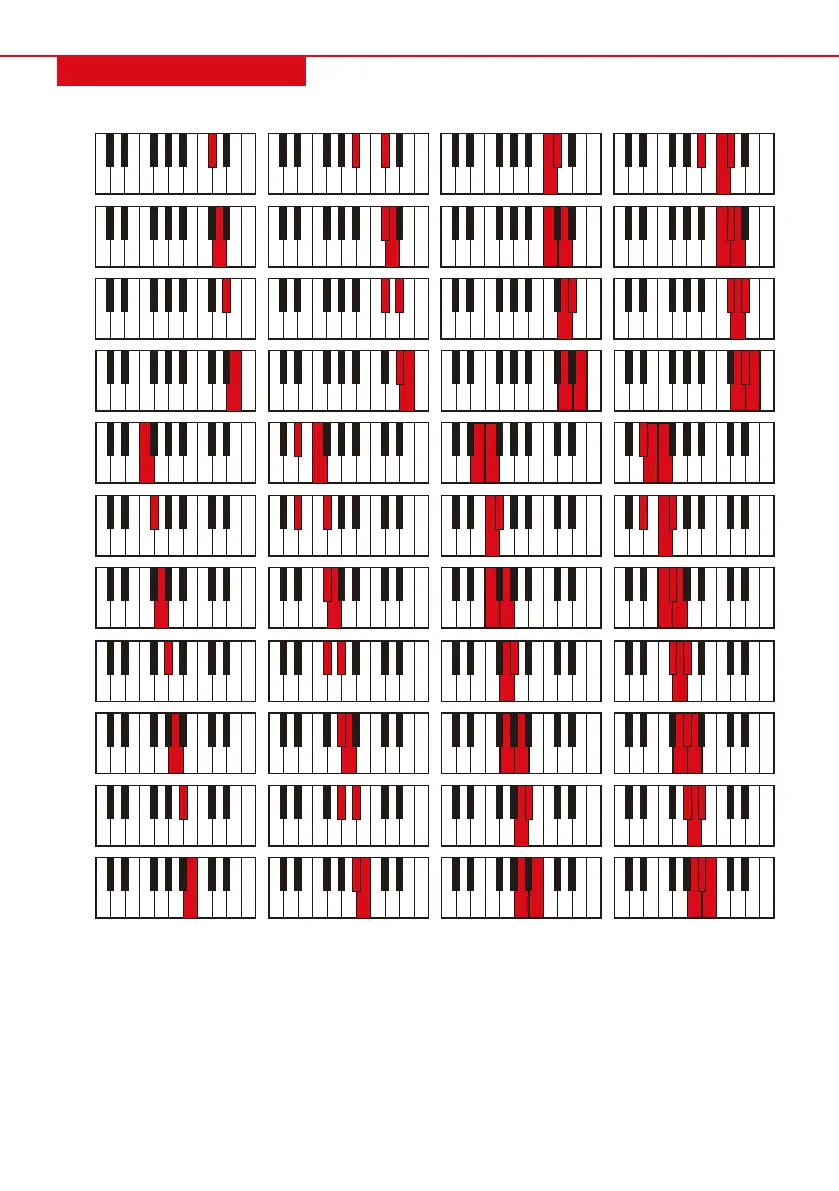
AUTO BASS CHORD
C#
D
D#
E
F
F#
G
G#
A
A#
B
Major Minor 7
th
Minor 7
th
Fingered Chord
While the rhythm is active, press “FINGERED” and “FIN” will show on the display. You can now play fingered
chords using the chord keyboard. Press “FINGERED” to disable the function.


 To Next Page