EasyManua.ls Logo

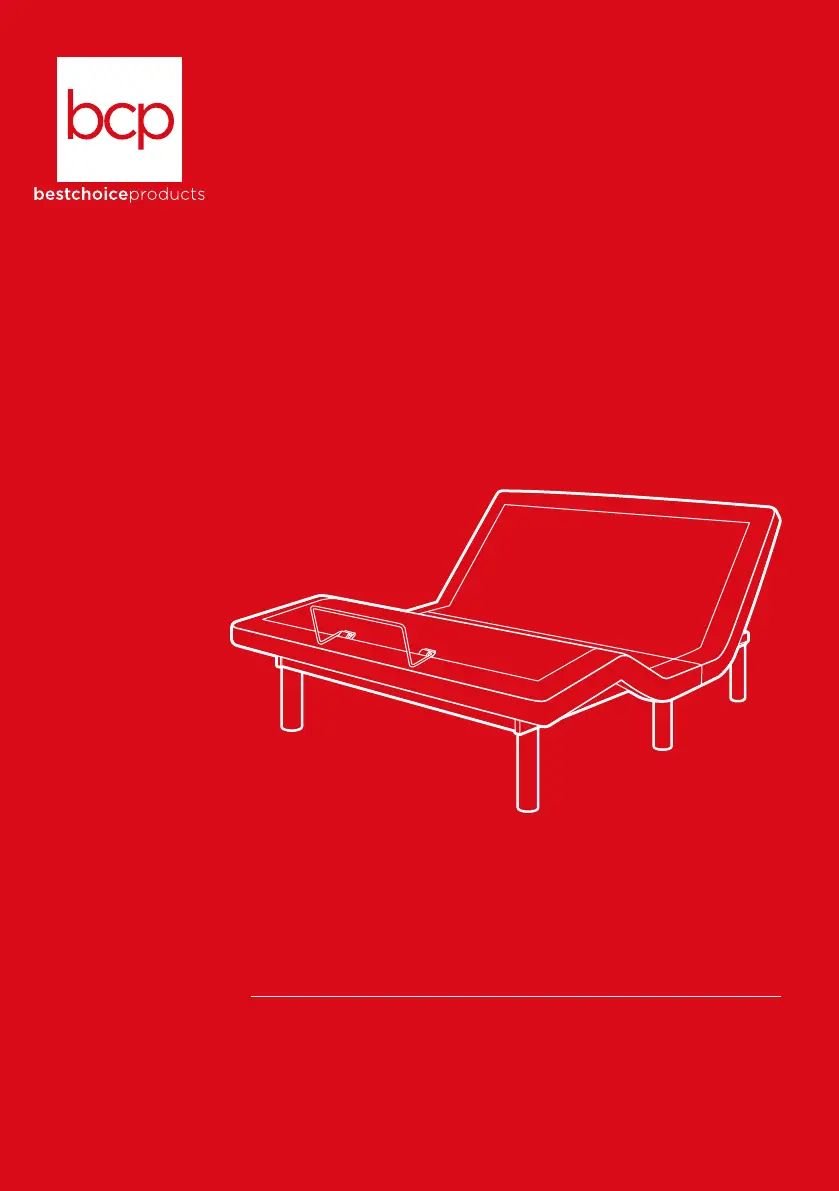
BCP SKY5671 - User Manual

BCP SKY5671
24 pages
Print Icon
To Next Page IconTo Next Page
Loading...
SKY5671
INSTRUCTION
MANUAL
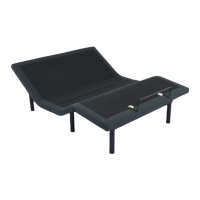
Upholstered Adjustable
Queen Bed Base
Ver. 3

Questions and Answers

  • N
    nwintersAug 2, 2025
    What to do if my BCP Indoor Furnishing bed functions are not activating?
    • P
      Patricia DonovanAug 2, 2025
      If your BCP Indoor Furnishing bed functions aren't activating, there are several possible causes. First, the remote might be unpaired, so try pairing the remote with the bed. There may be a malfunction; in this case, reset the bed by unplugging the power cord, waiting 30 seconds, and then plugging it back in. Check that the power outlet is working by plugging the bed into a working outlet. Finally, ensure all connections to the control box are secure.
  • L
    Lauren ChapmanAug 6, 2025
    What to do if my BCP Indoor Furnishing head/foot lift has minor interference?
    • J
      james31Aug 6, 2025
      If you're experiencing minor interference with the head/foot lift on your BCP Indoor Furnishing, several factors could be responsible. The remote might need new batteries. Also, the motor may be overworked; in this case, allow the motor to rest for 20 minutes. Make sure you are pushing the buttons squarely and accurately. Finally, the remote might have radio frequency interference; if this is the case, wait and try again later.
  • D
    doughertyvincentAug 11, 2025
    How to stop excessive motor noise in BCP SKY5671 Indoor Furnishing?
    • C
      Charles PotterAug 11, 2025
      To reduce excessive motor noise in your BCP Indoor Furnishing, consider these solutions. If the bed is on a hard surface, place carpet or rubber feet under each leg. If the motor mechanisms are misaligned, elevate sections a short distance to realign them. Also, ensure the bed is positioned away from the wall or other objects.
  • F
    faveryAug 15, 2025
    What to do if my BCP SKY5671 massage motor overheats or stops?
    • A
      April NolanAug 15, 2025
      If the massage motor in your BCP Indoor Furnishing overheats or stops, it's likely that the thermal protection has been activated. Wait 30 minutes, then turn the massage back on.
  • A
    April LarsonAug 19, 2025
    What to do if my BCP Indoor Furnishing head/foot elevates but does not return to flat position?
    • D
      davidperezAug 19, 2025
      If the head or foot of your BCP Indoor Furnishing elevates but does not return to a flat position, there might be an obstruction in the bed mechanism. Elevate the bed and remove any obstruction. Also, the head section might be too close to the wall; move the head further from the wall.
  • L
    Laura MorrisAug 23, 2025
    What to do if BCP SKY5671 is remote working, but bed not responding?
    • M
      Melissa WilliamsAug 23, 2025
      If your BCP Indoor Furnishing remote is working, but the bed is not responding, make sure the power cord is plugged into a working outlet.
  • Z
    Zachary OwensAug 28, 2025
    What does clicking noise when raising or lowering BCP SKY5671 Indoor Furnishing mean?
    • C
      Chloe CarterAug 28, 2025
      Clicking noise when raising or lowering your BCP Indoor Furnishing is normal.

Summary

Upholstered Adjustable Queen Bed Base Manual

Safety and Precautions

Important Notices

Key advisories for safe and correct usage of the bed base.

Critical Safety Warnings

Critical warnings regarding electrical, health, and operational safety.

Assembly and Components

Tools and Batteries Required

Lists the necessary tools and batteries for assembling the bed base.

Included Parts List

Identifies and illustrates all the parts included in the product package.

Product Assembly Steps

Step 1: Attaching Legs

Instructions for screwing part A (legs) into the leg bases for initial setup.

Step 2: Connecting Power Supply

Guide for inserting the power cord into the power supply and connecting it.

Step 3: Flipping Bed and Retainer Bar

Instructions for flipping the bed and inserting the retainer bar.

Diagram and Parts Identification

Component Identification Diagram

Detailed diagram labeling all major components of the adjustable bed base.

Remote Control Functionality

Remote Control Panel Overview

Explanation of all buttons and their functions on the remote control.

Pairing the Remote Control

Steps to re-pair the remote control if it becomes unpaired from the bed.

Setting Programmable Positions

Guide on how to save custom positions using the M1 and M2 memory buttons.

Preset Position Details

TV Setting Angles

Specifies the head and foot angles for the TV preset position.

Anti-Snore Setting Angles

Details the head and foot angles for the Anti-Snore preset.

Zero Gravity Setting Angles

Specifies the head and foot angles for the Zero Gravity preset.

Technical Information

Battery Handling Safety

Essential safety guidelines for using and handling batteries with the product.

FCC Compliance Statement

Regulatory information regarding FCC compliance and potential interference.

Troubleshooting Guide

Common Problem Resolutions

Provides solutions for common problems encountered with the bed's operation.

Customer Support and Warranty

Help Center Resources

Contact information and resources for product support and assistance.

Product Warranty Information

Information on return policy, authorization, and warranty terms.

Liability Disclaimer

Disclaimer regarding liability for injury or damage due to improper use or maintenance.

BCP SKY5671 Specifications

General IconGeneral
BrandBCP
ModelSKY5671
CategoryIndoor Furnishing
LanguageEnglish

Related product manuals