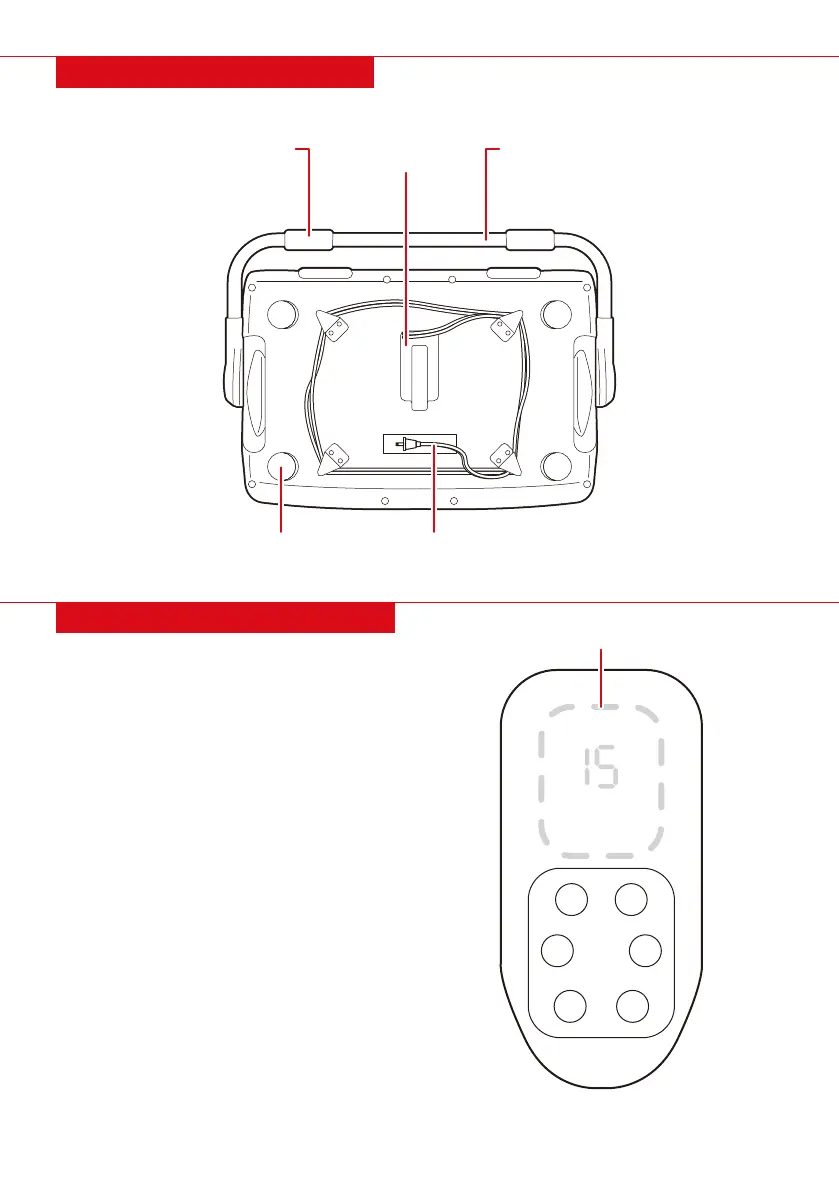
DIAGRAM: BOTTOM VIEW
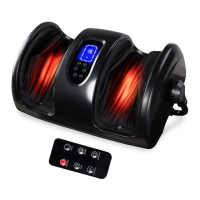
CONTROL PANEL DIAGRAM
ON/OFF
Time
Heating
Auto
Speed
Direction
• ON/OFF: Press to turn the product on or o.
Starts at 15 minutes.
• AUTO: Press to cycle between preset programs,
“M1, M2, M3.”
• TIME: Press to adjust massage time from 5
minutes to 30 minutes.
NOTE: Do not run the massager longer than 30
minutes at a time. Doing so may result in
malfunction and possible injury.
• HEATING: Press to turn the heating function
on/o.
• SPEED: Press to cycle between three speeds:
“high, medium, and low.”
• DIRECTION: Press to alter the rotation of the
rollers: clockwise & counterclockwise.
HANDLE/SUPPORT
BAR
ANKLE/CALF
SUPPORT
SLIDERS POWER CORD
POWER CORD
STORAGE
DISPLAY
4 |


 To Next Page