ADD THE DEVICE (CF MODE)
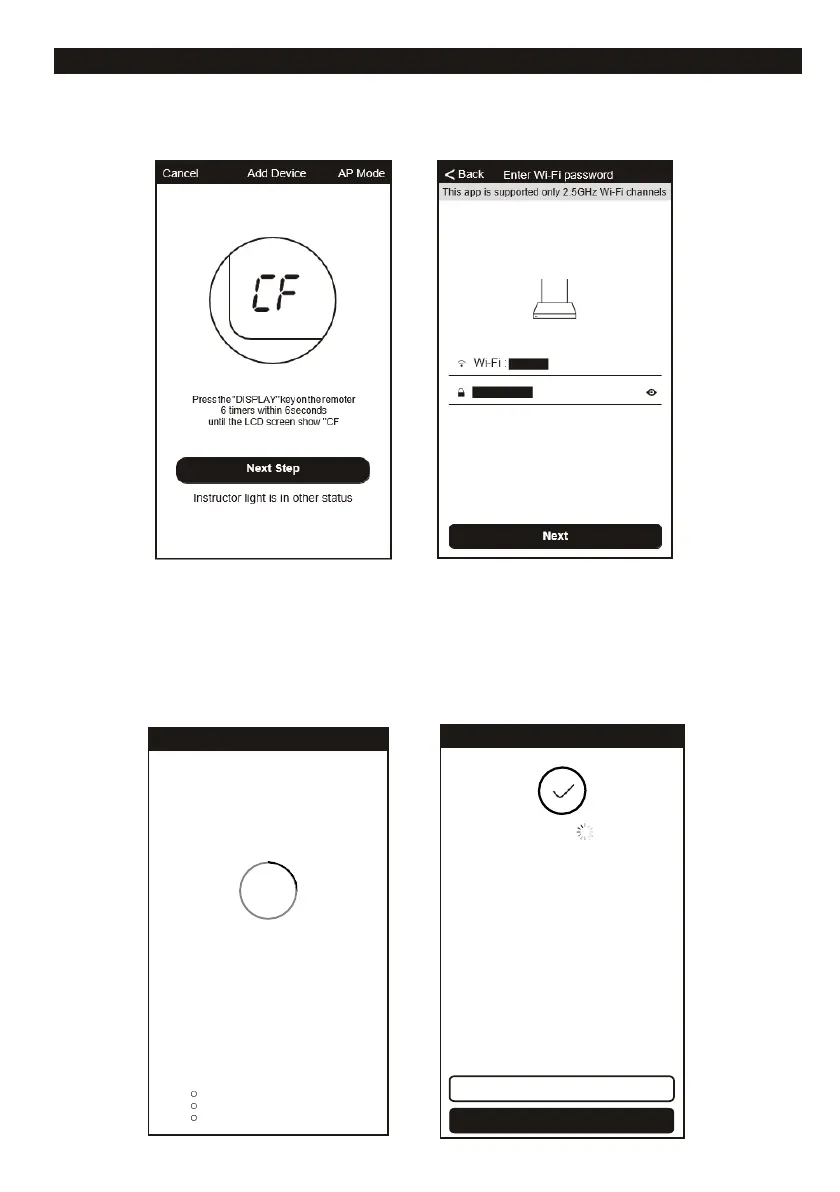
CF MODE Quick Connection
1. Follow the instructions on your smartphone.
2. Select the home router, and fulfill the password of router, press “Next” to continue.
3. The APP now automatically starts searching for the device, "PP" appears on the display of
the air conditioner.
4. After a successful scan, the device begins to connect automatically, "SA" is shown on the
display of the air conditioner.
5. After a successful connection, "AP" appears on the display of the air conditioner.
6. You can rename the device as you like, share it with the family or select "Done" to start
controlling the device.
26%
Device is connecting
Make sure your phone and device
are as close to your router as possible.
Searching for device
Registering device to the cloud
Initializing your device














 To Next Page