S. 20
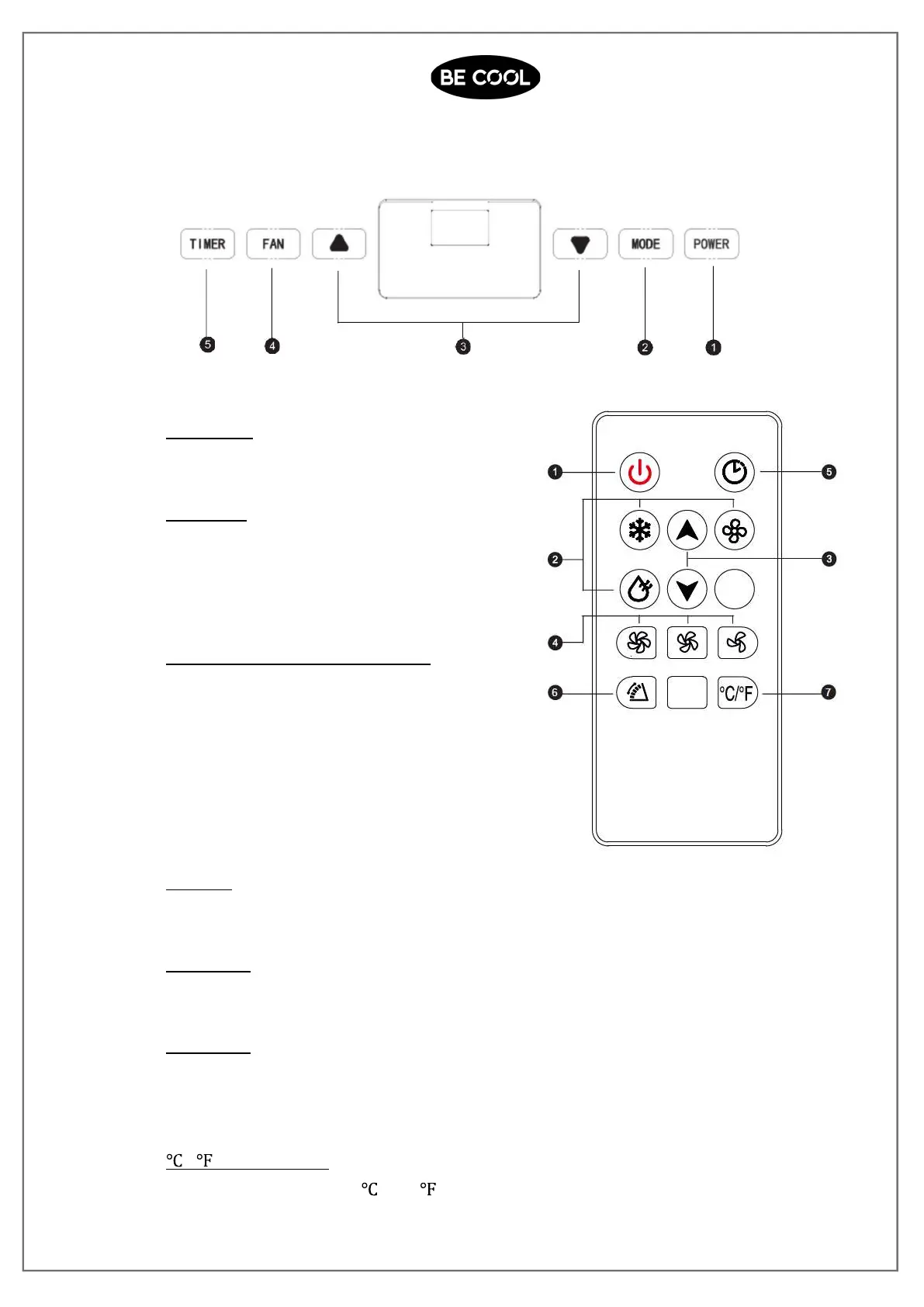
CONTROL PANEL AND REMOTE CONTROLLER
1. Power key
Press the key to turn ON/OFF the A/C.
2. Mode key
Press the key to choose cooling,wind
,dehumidification andheating(cooling only
model has no heating) mode.
3. Temperature/ time adjusting key
Press the key at cooling mode to
increase/reduce the setting temperature;
press it at timing mode to adjust timing
ON/OFF time; press Up and Down keys
simultaneously to switch Fahrenheit and
Centigrade degree temperature.
4. Fan key
Press the key to choose high/ low gear wind speed.
5. Timer Key
press this key to set a timer for auto start or auto stop.
6. Swing key
Press this key at any time after turning on the A/C to swingthe wind guide bar
automatically.
7. / switching key
Press the key to switch and .














 To Next Page