S. 25
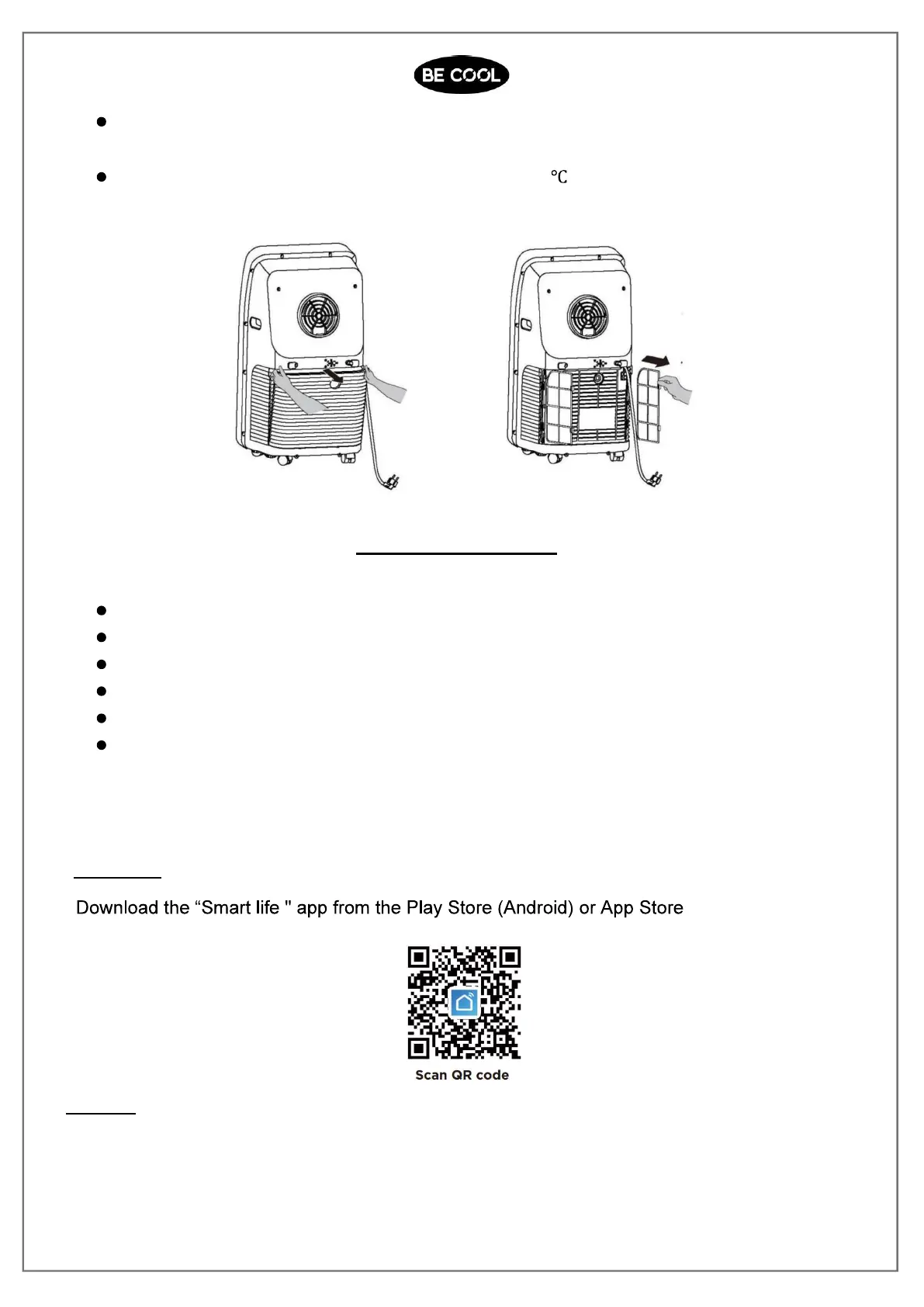
Take out the air inlet grille and pull out the filter screen at both sides according
to thedirection shown in the following figures.
Put the filter screen into the warm water (about 40 ) added with neutral
detergent,dry it at a shady place after cleaning.
SEASONAL CLEANING
If the A/C will not be used for a long time:
Pull out the water wedge to drain.
Run the A/C in fan mode for 2H till its inside is dry.
Turn off the A/C and unplug.
Wash the filter screen and reassemble it.
Dismantle the exhaust duct and keep it properly.
Cover the A/C with a plastic bag and place it at a dry place.
Smart Home Wi-Fi Connection Guide
Install App
(iOS).
Register
If you do not have a Smarter Home account, register or sign in with a verification code
sent by SMS. To register:
1. Tap to enter registration page














 To Next Page