EasyManua.ls Logo

Be Cool BC2TAC2401 - Controls and Operation; Remote Control Usage; Control Panel Overview

Be Cool BC2TAC2401
Print Icon
To Next Page IconTo Next Page
To Previous Page IconTo Previous Page
Loading...
176
Then push the battery compartment all the way back into the remote
control.
Correct use of the remote control
Point the remote control directly at the front of the unit and make sure that there
are no obstacles between the remote control and the unit.
NOTE: Please handle the remote control with care. Do not expose it to direct
sunlight and keep it away from heat sources.
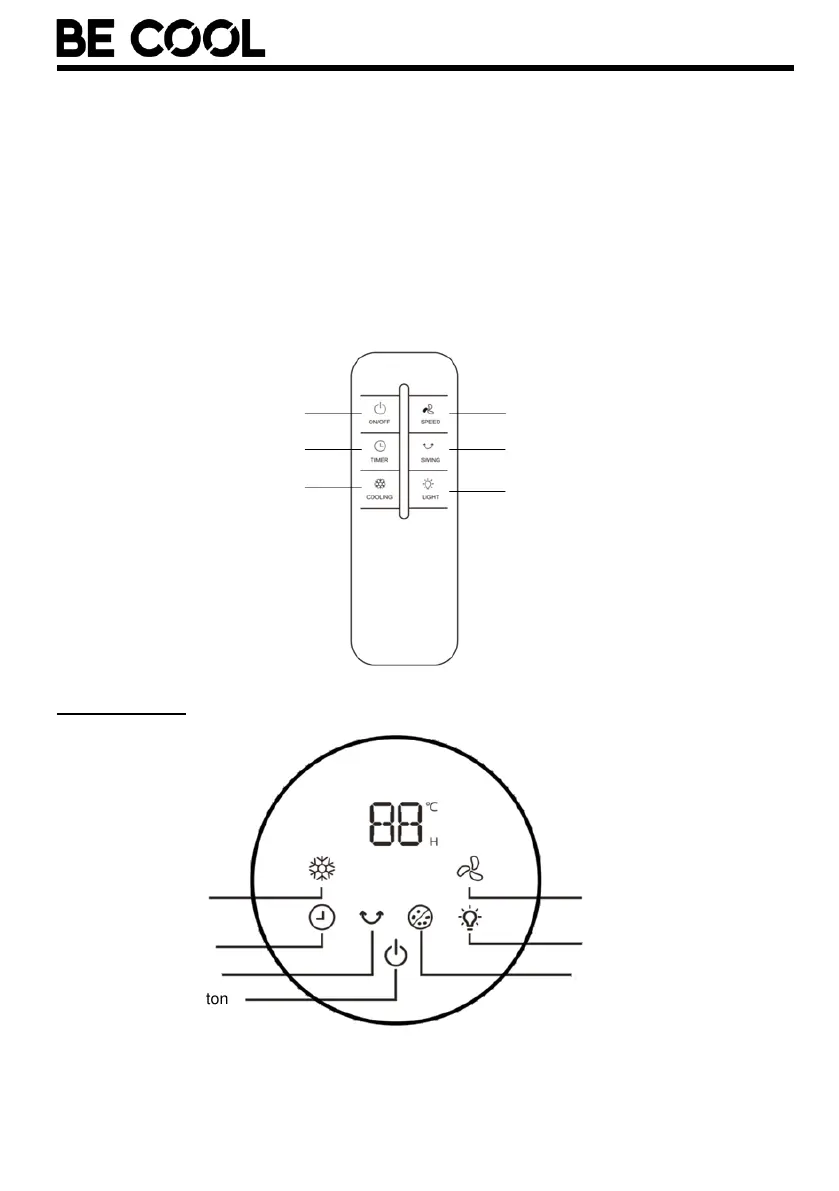
Control panel

On/Off button
Timer button
Cooling function
Speed level
Swivel function
Lighting
Cooling function
Timer button
Swivel function
On/Off button
Speed level
Lighting
Anion key

Related product manuals