Seite 31 von 40
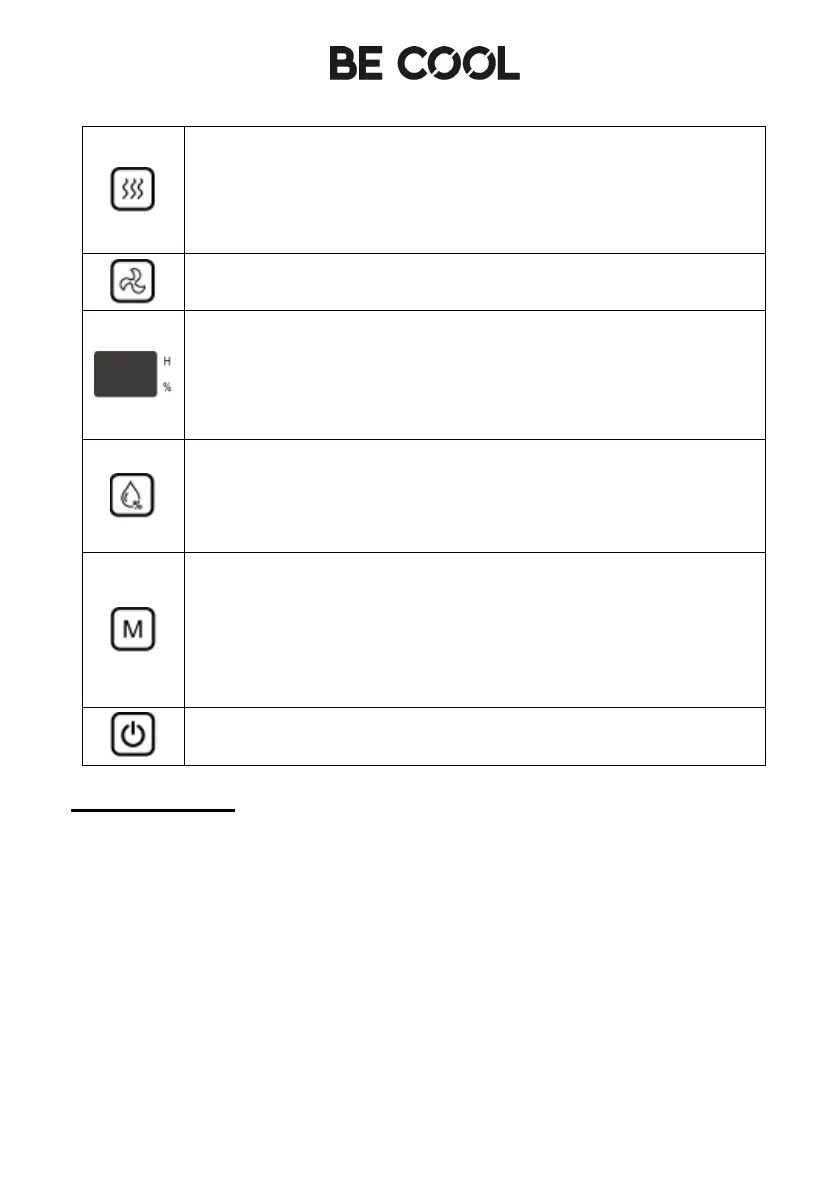
Dry Key
Press this button to start the drying process in the dehumidifier.
This takes about one hour and prevents mould from forming in
the appliance. Press the button again to cancel the drying
process.
Fan Speed
Press the Speed button to set the speed of the fan.
LED-Display
In AUTO, Continuous and DRYING modes, the display shows
the room humidity. When the humidity is set in AUTO mode,
the display shows the set humidity and the set time in timer
status.
Humididity adjust
The humidity is set in a circle in the range of 30% - 80% in
steps of five, the humidity setting only works in automatic
mode.
Mode - Key
Press this button to switch between the different modes. The
respective lamp lights up.
Press and hold the button for 3 seconds to activate the key
lock / child lock. Press and hold the button again for 3 seconds
to deactivate it.
On / Off – Key
Press this button to switch the dehumidifier on or off.
Operating modes
Timer
•
Press the timer button once to activate the timer mode while the appliance
is switched on.
•
The display lights up and the time is set to 1 h.
•
Press the timer button repeatedly and select between 1 - 24 hours. After
selecting the timer time, wait 5 seconds and the appliance will
automatically confirm the time.
•
If the unit is in standby, use steps 1 - 3 to set an automatic switch-on time
Timer off
: As soon as the desired time has elapsed, the unit switches off.


 To Next Page
 Loading...