Need help?
Do you have a question about the Bea-fon Classic series and is the answer not in the manual?
Instructions for making emergency calls using the number 112.
Precautions to take for personal safety when using the phone.
Instructions for inserting a Micro SD card into the phone.
Instructions for calling contacts stored in the phonebook.
How to make calls from the list of recent calls.
Steps to add a new contact to the phone's phonebook.
Instructions for composing and sending SMS or MMS messages.
Information on sending and receiving multimedia messages (MMS).
Connecting the phone to Bluetooth-compatible devices.
 General
| SIM | Dual SIM |
|---|---|
| External memory | MicroSD up to 32 GB |
| Bluetooth | Yes |
| FM radio | Yes |
| SOS button | Yes |
| Display Resolution | 240 x 320 pixels |
| Internal Memory | 32 MB |
| Audio Player | Yes |
| Video Player | Yes |
| Display | TFT |
| Network | 2G |
| Display Size | 2.4 inches |
| Expandable Memory | Yes, via microSD card |
| Camera | Yes |
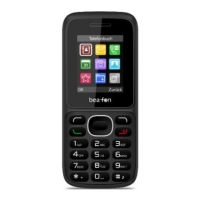
| Colors | Black |

 To Next Page