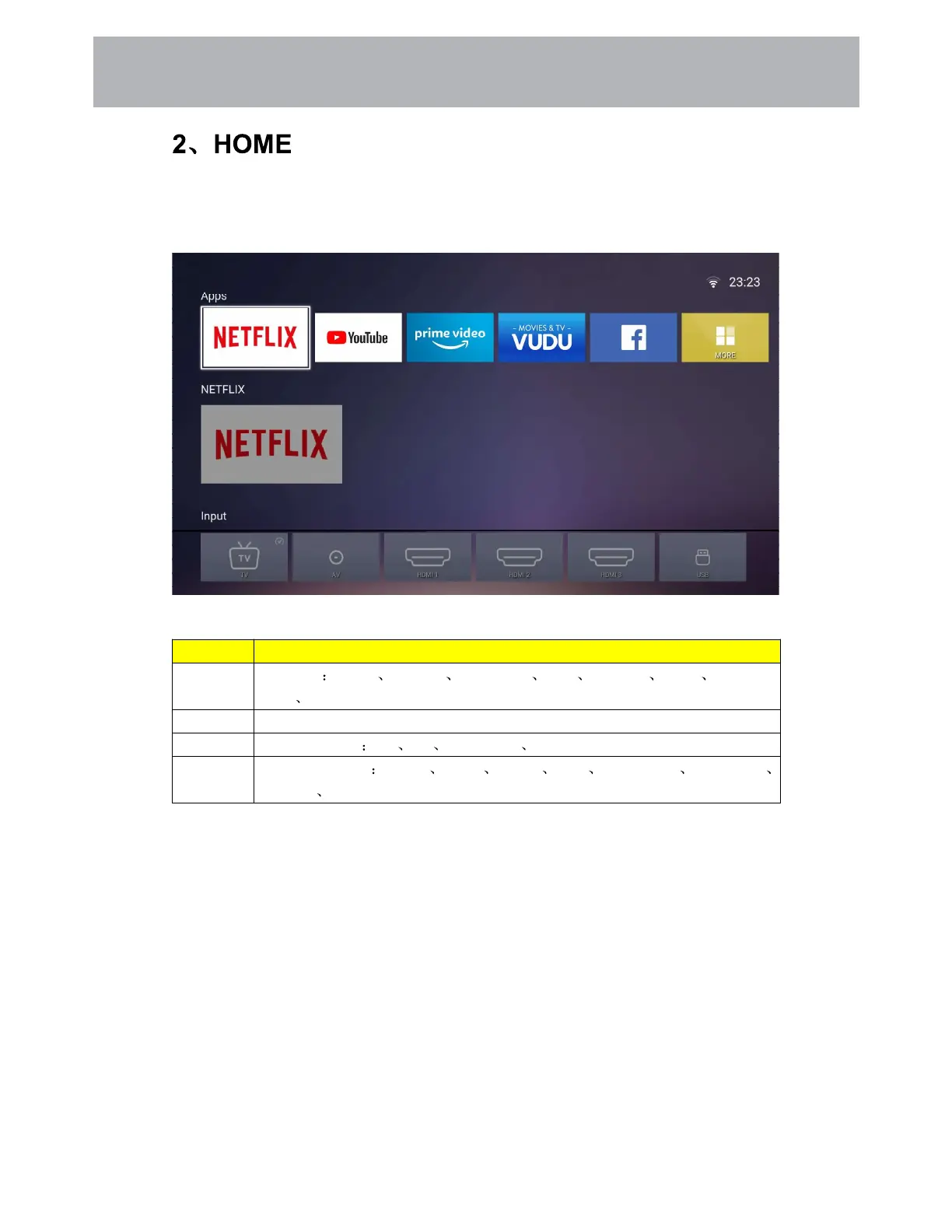
Press the [Home] button to display the home page,Press the [Up and Down] button to switch
between the Apps, NETFLIX, Input souce, and Settings options, Press the [Left and Right]
button to select the corresponding sub-option and press the [OK] button to confirm
Items Directions
Apps All APPS Netflix YouTube prime video Vudu Facebook twitter Smart TV
Apps MORE. There may be some custom differences Apps.
NETFLIX Netflix account recommendation information
Input All input source TV AV HDMI1/2/3 USB
Setting All menu settings Picture Sound Setting Lock PVR Option Programme
Network About
9 1
Customizing TV Settings



 To Next Page