
 To Next Page

T
Tyler KellySep 23, 2025
What does it mean if the orange LED flashes 9 times on BEA Accessories?
- JJessica SpencerSep 23, 2025
If the orange LED flashes nine times on your BEA Accessories, the radar is faulty. Replace the sensor.

What does it mean if the orange LED flashes 9 times on BEA Accessories?
If the orange LED flashes nine times on your BEA Accessories, the radar is faulty. Replace the sensor.
Why is my BEA IXIO-DT3 Door Opening System sensor disturbed by external elements?
The sensor might be disturbed by external elements for several reasons. One cause is sensor vibration. To address this, eliminate the source of the disturbance, such as lamps, rain cover, or ensure the door controller housing is properly grounded. Other suggested solutions include replacing the sensor; launching a quick or new assisted setup; changing the radar field angle or antenna; cutting and restoring power supply; moving the IR-curtains away from the door; installing the sensor as close to the door as possible, using a bracket accessory if needed; and checking that the sensor is firmly fastened, as well as checking the position of the cable and cover. If the orange LED flashes or lights up again, replace the sensor.
What to do if my BEA IXIO-DT3 sensor signals an internal fault?
If the sensor signals an internal fault, consider the following steps: replace the sensor, check the power supply (in the diagnostics menu of the LCD), check the wiring, or replace the previous sensor in the chain.
What to do if the SDC setting does not match with the real product position in my BEA Door Opening System?
If the SDC setting does not match the real product position, you can try the following: lock the SDC position setting; decrease the angle of the IR-curtains if the sensor receives not enough IR-energy; increase the IR-immunity filter (values >2.8 m) if the sensor receives too much IR-energy; deactivate 1 curtain; slightly increase the angle of the IR-curtains.
Why does my BEA IXIO-DT3 Door Opening System sensor vibrate?
Check if the sensor and door cover is fastened firmly and also check the position of the cable and cover.
How do I stop my BEA Accessories sensor from seeing the door?
Launch an assisted setup and adjust the AIR angle.
Why does the red LED flash during the assisted setup on my BEA Accessories?
If the red LED flashes during the assisted setup on your BEA Accessories, the sensor sees the door quickly after an assisted setup. Check the angle of the AIR-curtains. Also, launch a new assisted setup.
How to fix ghosting created by door movement on BEA Accessories?
To resolve ghosting caused by door movement on BEA Accessories, change the radar field angle.
What does it mean when the orange LED flashes 5 times on BEA Accessories?
If the orange LED flashes five times on your BEA Accessories, it means there is too much AIR-energy. Check the angle of the AIR-curtains. Decrease the AIR-immunity filter (values 1-3
What to do if the LED and LCD display are off on my BEA Accessories?
If the LED and the LCD display are off on your BEA Accessories, try cutting and restoring the power supply. Also, check the wiring.
Liquid Crystal Display component of the sensor.
Narrow field radar antenna for detection.
Wide field radar antenna for detection.
Adjustment for the width of the AIR-curtain.
Optical lenses for the AIR-curtain system.
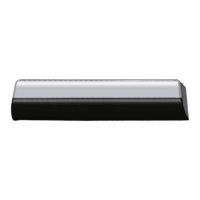
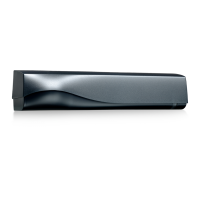
Protective cover for the sensor unit.
Primary connection point for power and data.
Primary manual adjustment control for the sensor.
Knob for adjusting the AIR-curtain angle.
Accessory for mounting the sensor.
Accessory for ceiling mounting.
Accessory for protection against rain.
Interface for upgrading existing systems.
Detailed wiring diagram showing connections for power, inputs, and outputs.
Information on fixation compatibility with ACTIV8.
Configuration options for the radar relay output.
Configuration options for the radar frequency output.
Configuration options for the radar current source output.
Detection field characteristics for the 15° to 45° angle.
Detection field characteristics for the -15° to 15° angle.
Detection field size for wide configuration.
Detection field size for narrow configuration.
Adjusting the AIR-curtain angle for optimal detection.
Masking the emitted field to reduce detection width.
Table detailing detection width based on mounting height and standards.
Information on additional adjustments via LCD or remote control.
Predefined settings for different installation environments.
Quick setup procedure for the sensor.
Assisted setup procedure for the sensor.
Explanation of the display during normal operation.
Comparison of factory-set and user-saved parameter values.
Guide to navigating through the sensor's menu system.
Procedure for modifying sensor parameter values.
How to check saved values using a remote control.
Overview of basic sensor settings and their parameters.
Detailed explanation of advanced sensor settings.
Information on diagnostic functions and error logging.
Details on system parameters like power, time, and administration.
Troubleshooting guide for various orange LED flash codes.
Action for when the orange LED remains constantly illuminated.
Troubleshooting guide for RED LED indicators.
Troubleshooting guide for GREEN LED indicators.
Steps to take when the LED and LCD display are not functioning.
Diagnosing issues when the door reaction doesn't match LED signals.
Recommendations for secure sensor mounting to prevent vibrations.
Guidelines for sensor placement regarding obstructions and light.
Advice on cleaning sensor optical components.
Warning against using harsh cleaning agents on optical parts.
Mandatory earthing procedures for safety compliance.
Requirement for installation and setup by qualified personnel only.
Importance of testing sensor function before completing installation.
Conditions under which the product warranty becomes invalid.
Key technical parameters and compliance directives.
Detailed specifications for motion and presence detection modes.
Technical details on the sensor's output types and capabilities.
Specifications for the sensor's test input functionality.
Information on compliance with relevant industry standards.
 Power
Power| supply voltage | 12 V - 24 V AC +/-10% ; 12 V - 30 V DC +/-10% |
|---|---|
| power consumption | < 2.5 W |
| max contact voltage | 42 V AC/DC |
 Operating Environment
| temperature range | -25°C to +55°C |
|---|---|
| relative humidity | 0-95% non condensing |
| degree of protection | IP54 |
Detection and Response| min detection speed | 5 cm/s |
|---|---|
| typical response time | < 200 ms |
| transmitter frequency | 24.150 GHz |
 Weight and Dimensions
| mounting height | 2 m to 3.5 m |
|---|