14 Beachcomber Hot Tub Owner’s Guide www.beachcomberhottubs.com 15
3. Time Display: You can change the time clock display from
the 12 hour am/pm to a 24 hour time clock.
ACCESSING THE USER EDIT MENU
Press the then 1, then , USr will be displayed.
Then press
1 to display Sr.n (Suppress reminders). To
suppress press
1 again to make the n flash. Press
to change the n to a Y and then press 1 to confirm, then
button twice to exit. Reminders will now be removed.
If you want to change the temp display from Fahrenheit to Cel-
sius use the same procedure as above to get to
Sr.n but then
press
to go to tc.n then 1 to make the n flash, to
change the n to Y and then 1 to confirm.
If you want to change the time display from am/pm to 24 use
the same procedures as above to get to Sr.n and then press
twice to get to 24.n then press 1 to get the n to flash,
press
to change the n to Y and then 1 to confirm
then twice to exit.
Start Up
Before turning on the power make sure you have read the Start Up
instructions on page 9. When your hot tub power is first turned on
it will display a series of numbers identifying the software version
and the voltage input. It will then go into a 4 minute priming mode
indicated by a
Pr on the LCD display. During priming mode the
Hush Pump will circulate the water through the filter and heating
system to allow the temperature to be read. If your tub is not Hush
Pump equipped the jet pump will not turn on until the prime mode
times out or the
button is pressed to time out early. During
prime mode the jet pumps can be turned on to make sure they
are fully primed and moving water in the tub. Do not allow an
unprimed jet pump to run for more than 10 seconds. If the fill water
temperature is below 44°F / 7°C freeze protection will activate
all pumps immediately. While the circulation pump is running
the display will show a - - °F indicating current temperature is not
known. This will take two minutes. Once temperature is known it
will be displayed on the LCD.
Temperature Adjustment
The temperature range is 80°F - 104°F / 26°C – 40°C.
The default is 100°F/37.5°C. Any temp changes are saved in
the system memory if power is interrupted. Use the
button to
increase and the button to lower the set points. After showing
set temp the LCD will revert back to current water temp.
Note: if set temp is lowered more than 3°F / 1.5°C below current
water temp the Hush Pump™ will stop. The circulation will restart
every 30 minutes to check if water temp has come down to set
temp. It will also run continually during programmed times.
Heating Modes
To change to the desired heating mode, press or
followed by . Repeat these button presses to cycle through each
heating mode.
There are 3 Heating Modes – Standard, Economy and Sleep
Modes.
Std – Standard Mode: (Default mode) In Standard Mode the water
is always heated to the set temperature. The display will show the
current temperature and the word STANDARD.
Ecn – Economy Mode: In Economy Mode the water is heated only
during the filter cycle times. Default times are 8:00 am to 10:00
am for cycle 1 and 8:00 pm to 10:00 pm for cycle 2. If using
economy you may need to alter these times to make sure the water
is at your desired temp during your usual tub use times. The display
will alternate between
Ecn and the current temperature and
display the word ECONOMY.
SLP – Sleep Mode: In Sleep Mode the water is only heated to
within 20°F / 11°C of your set point and the heater only comes
on during the programmed filter cycle times. This mode is typically
only used for vacation time. The display will alternate between the
current temperature and
SLP.
Massage 1
To activate this jet pump press the 1 button once to activate
low speed, The icon will flash off and on, on the LCD display.
Press again to activate high speed and the icon will become
solid on the display. Press a third time to turn the pump off. The low
speed will turn off automatically after 4 hours and the high speed
will turn off after 15 minutes.
Note: If the hot tub is Hush Pump equipped, the low speed of
Massage 1 will come on automatically for 1 minute at the start of
each filter cycle to purge the plumbing lines. If the purge time is not
at the time of day you want, change the filter times.
Massage 2
To activate this jet pump press the 2 button once to activate
low speed, The icon will flash off and on, on the LCD display.
Press again to activate high speed and the icon will become
solid on the display. Press a third time to turn the pump off. The
low speed and the high speed will turn off automatically after 15
minutes.
Note: If the hot tub is Hush Pump equipped, the low speed of
Massage 2 will come on automatically for 1 minute at the start of
each filter cycle to purge the plumbing lines. If the purge time is not
at the time of day you want, change the filter times.
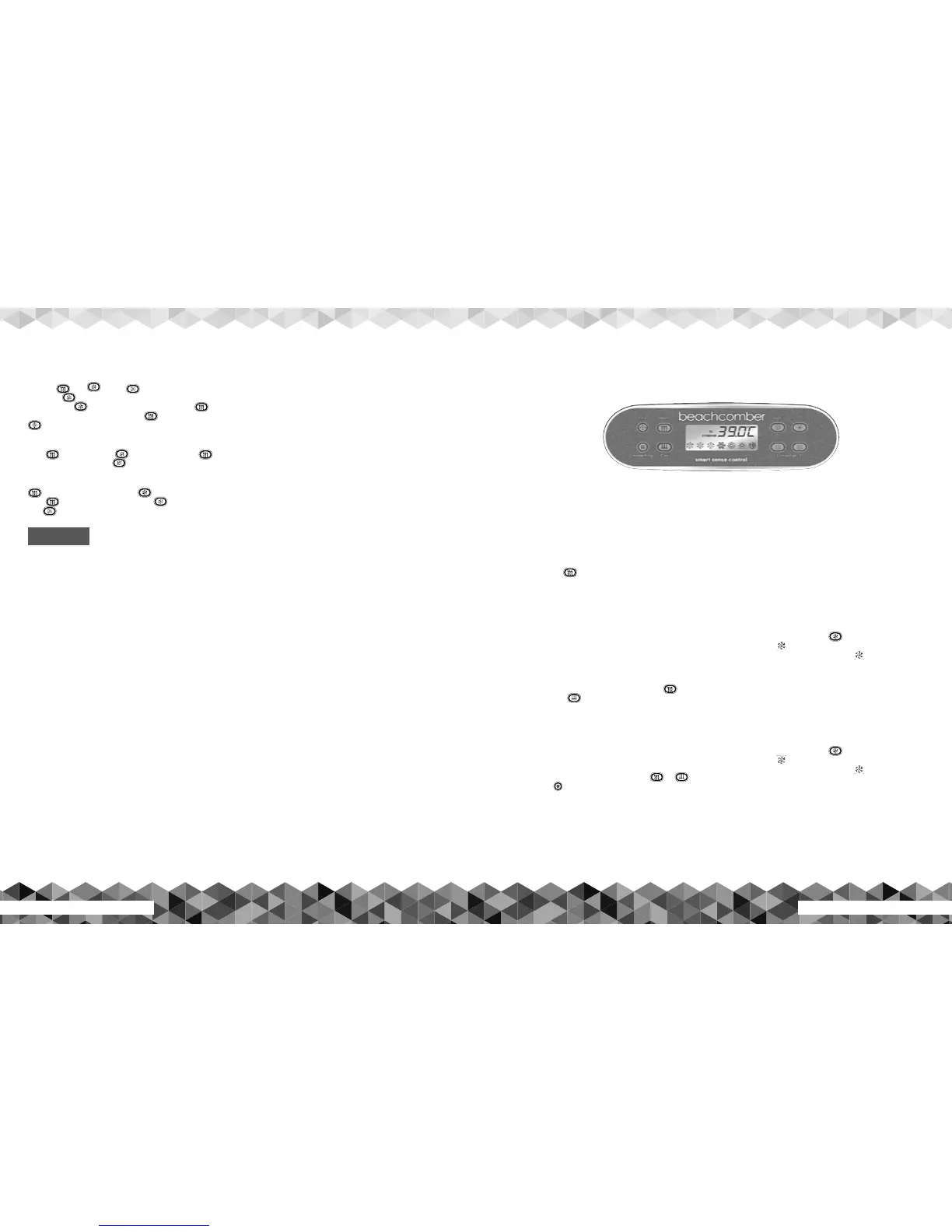
700 Series
ET-70 Topside Control Panel Operating Instructions
SHOCK HAZARD! NO USER SERVICEABLE PARTS.
DO NOT ATTEMPT SERVICE OF THIS CONTROL. CONTACT
YOUR RETAIL STORE OR SERVICE PROVIDER FOR ASSISTANCE.
FOLLOW ALL OWNER’S GUIDE POWER CONNECTION
INSTRUCTIONS. INSTALLATION MUST BE PERFORMED
BY A LICENSED ELECTRICIAN AND ALL GROUNDING
CONNECTIONS MUST BE PROPERLY INSTALLED.
ALWAYS TEST WATER TEMPERATURE PRIOR TO ENTRY USING
THE TOPSIDE CONTROL PAD. ENSURE COMFORT BY ALSO
CHECKING WATER WITH AN ACCURATE THERMOMETER.
TAMPERING WITH OR MODIFYING THIS EQUIPMENT MAY
VOID YOUR GUARANTEE.
WARNING



 To Next Page