12
3. Should the battery be in the device,
please remove it.
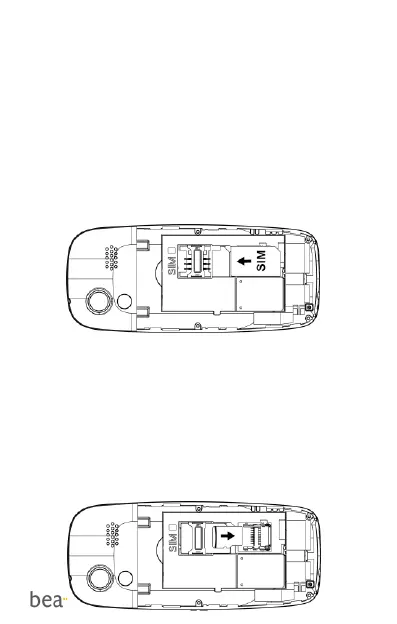
4. You see 2 card holders: the upper
right one for the SIM card and the
lower right one for the Micro SD card.
5. Carefully insert the SIM card in the
SIM card slot. Make sure that the
gold-colored contacts on the card are
facing downwards and the tapered
corner is facing left.
Inserting the Micro SD card
1. Slide the holder down to unlock it.
2. Open the holder and gently insert the
Micro SD card into the Micro SD card
holder (2).
3. Close the holder and push it up to lock
in place.



 To Next Page