SETTING UP YOUR BEAM
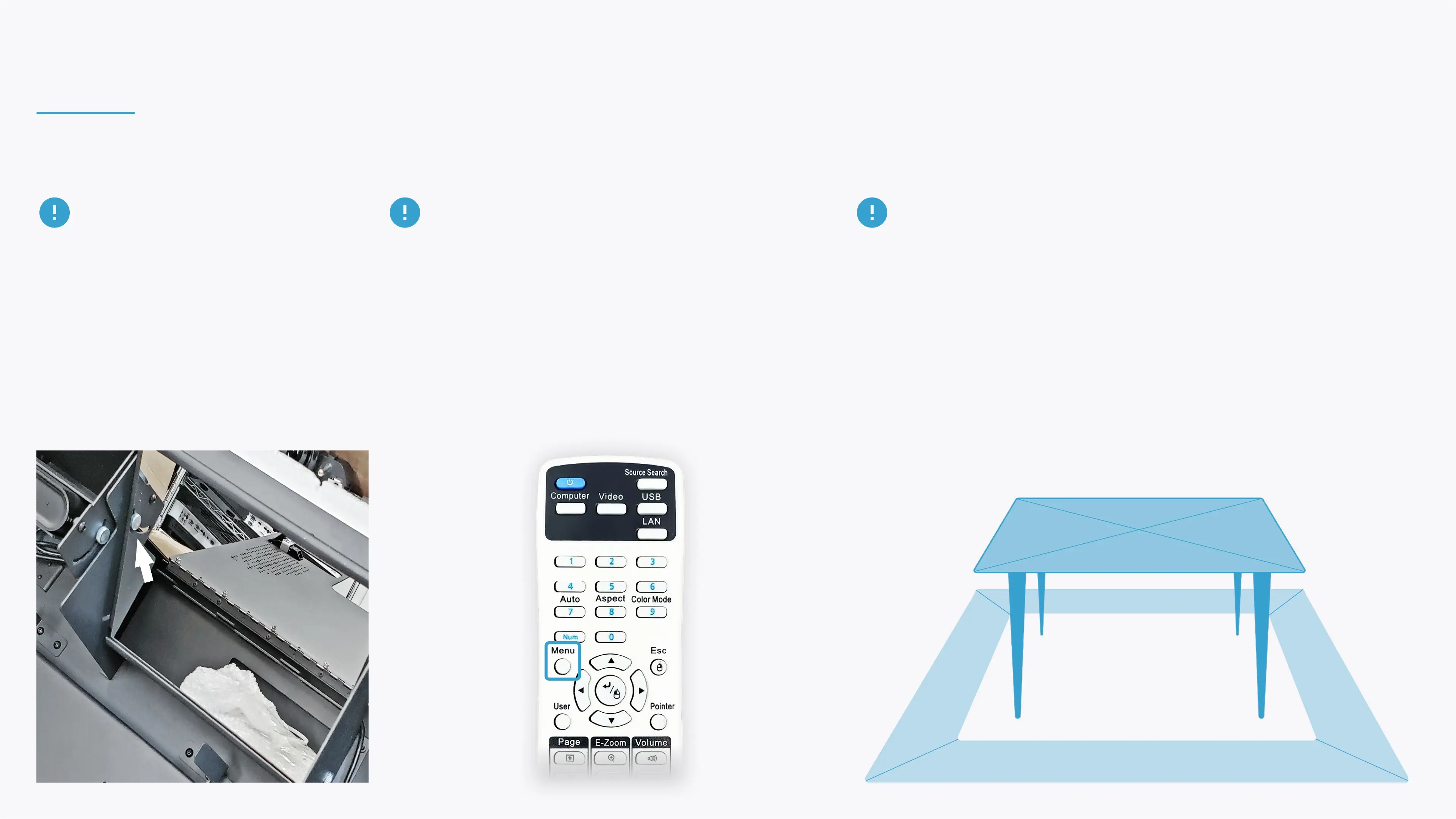
If the projection is skewed, straighten it by clicking
the menu button on your projection remote, then
Settings, and select to adjust the Keystones.
Note that after adjusting the keystones, the projection
must be calibrated (calibration is available in the
Settings section in the control area).
Set up the projection are so it will cover the table you aim to project
on entirly.
If that's not possible due to the ceiling height or zoom limitation, try
to cover as much of the table's surface as possible.
TABLE PLACEMENT IN PROJECTION AREA
If needed, it's possible to slightly adjust
the projection position after installing the
device.
Release the mirror's Hex and gently
nudge it to tilt the projection back or
forth.


 To Next Page