FITTING THE PROJECTION TO A TABLE
Now let's make sure the projection ts to the table's size and shape.
Before starting, please make sure the table is completely clear of any objects or people and
that the projection is unobstructed.
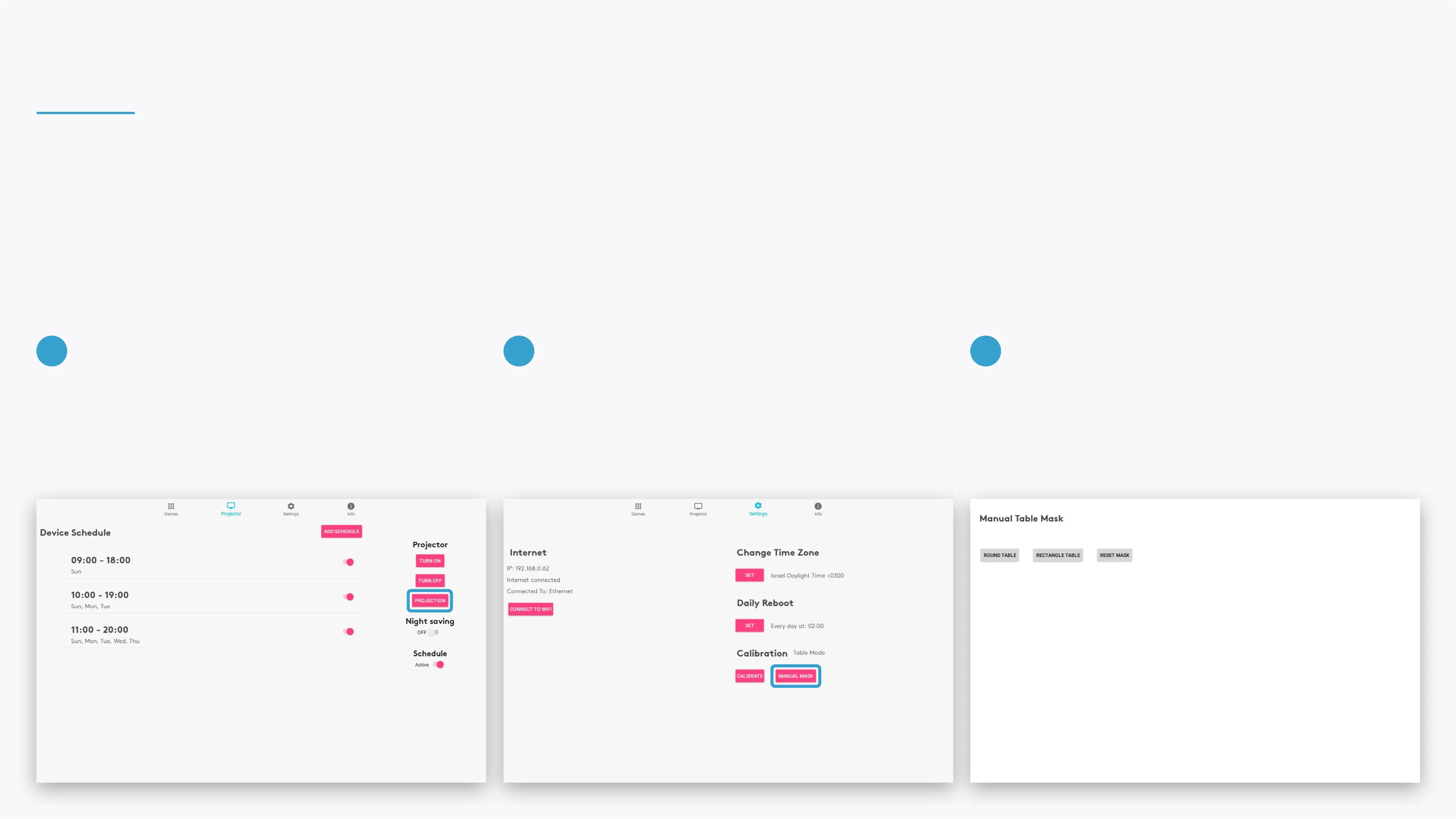
If needed, go to the Projector section in the control
area and select the PROJECTION button to ip or
rotate the projection as needed.
Go to the Settings section in the control area and
select the MANUAL MASK button.
Select the shape of the table - it can be either round
or rectangular.
1 2 3


 To Next Page