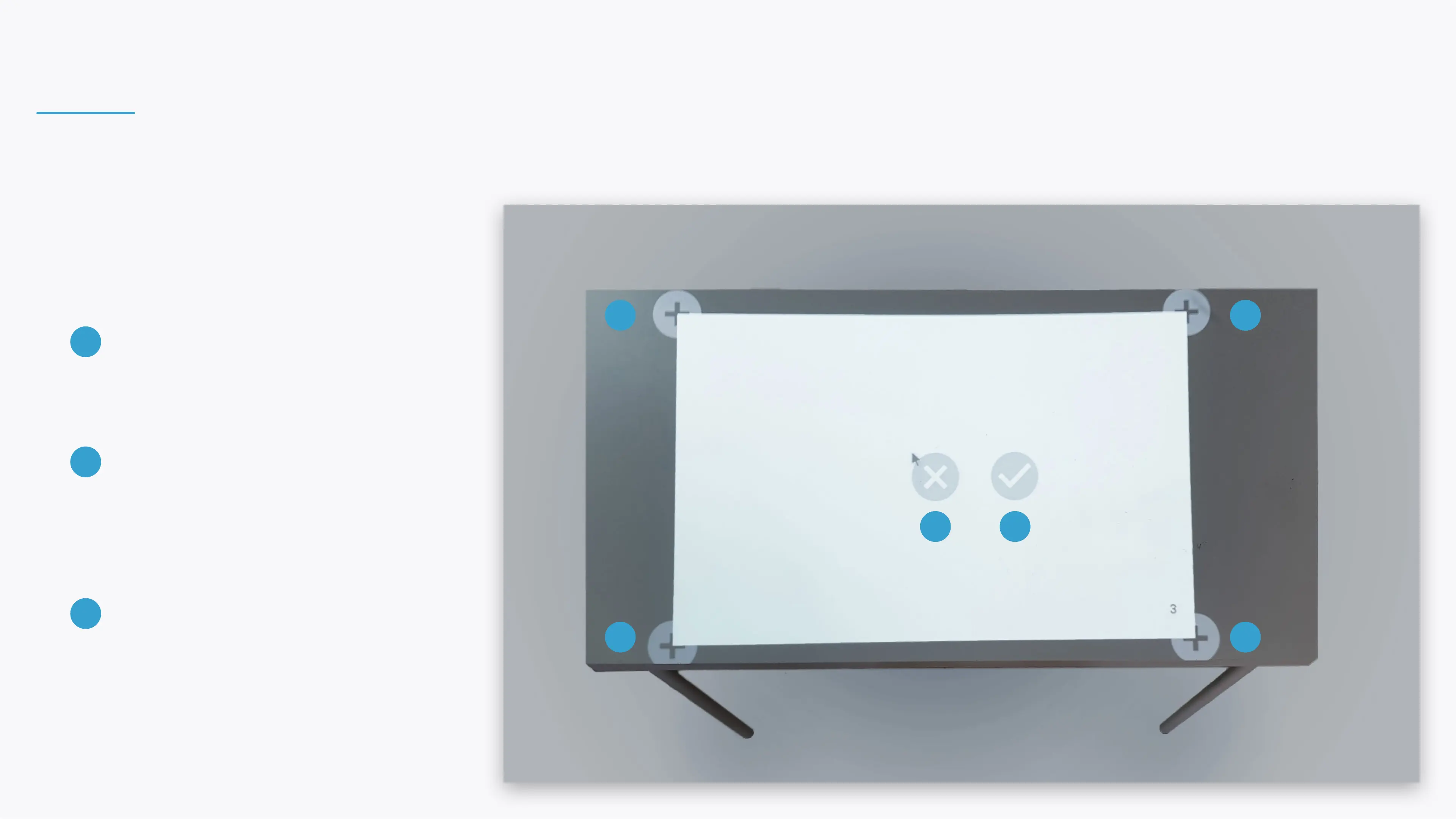
FITTING THE PROJECTION TO A TABLE
If a rectangular projection mask was selected, t it
the table's size and shape by:
DRAG PROJECTION MASK
Hold and drag the X icon to move the
projection mask to the center of the table.
ANCHOR ICONS
Hold and drag the + anchor icons to
the edge of the table. The projection will
adjust accordingly.
ACCEPT CHANGES
Select the V icon to accept your changes.
The projection will calibrate and restart
automatically to apply your changes.
1
2
3
2
2
2
2
1 3


 To Next Page