25English
8.1 Frost alarm
This weather staon has a frost alarm. If the outdoor temperature varies between
- °3C and + 1°C, the frost alarm symbol ashes on the display of the weather
staon. Once the outdoor temperature drops below -3°C, the frost alarm symbol
is displayed connuously.
8.2 Alarm seng
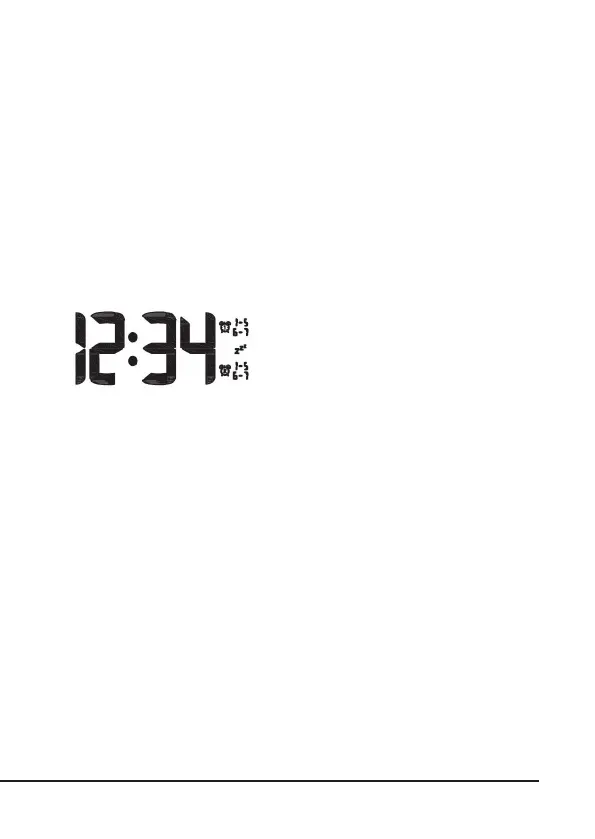
The weather staon can store up to 2 alarm
sengs, which can be turned on and o sepa-
rately. The alarm can be set between day 1-5
(Mon-Fri) and day 6-7 (Sat-Sun) or day 1-5 and
day 6-7 (Mon - Sun).
Seng the alarm
Press the "MODE" buon briey in the default screen to access the alarm set-
ngs. The alarm me 1 is now displayed instead of the me. Pressing the "MODE"
buon shows alarm me 2. Press and then hold the "MODE" buon for the
desired alarm me ll the corresponding alarm me starts ashing. You can make
the desired sengs using the "UP" and "DOWN" buons. Then press the "MODE"
buon again to conrm the sengs or to save the congured alarm. You can then
repeat the process with the second alarm me.
To set the days on which the alarm has to sound, press the "UP" buon when
the alarm me is being displayed. The display now shows the days on which the
alarm will sound (1-5, 6-7 or 1-5 + 6-7):
• 1-5 : Monday, Tuesday, Wednesday, Thursday, Friday
• 6-7: Saturday, Sunday
• 1-5 + 6-7: The whole week



 To Next Page