35English
9 Temperature/Humidity alarm
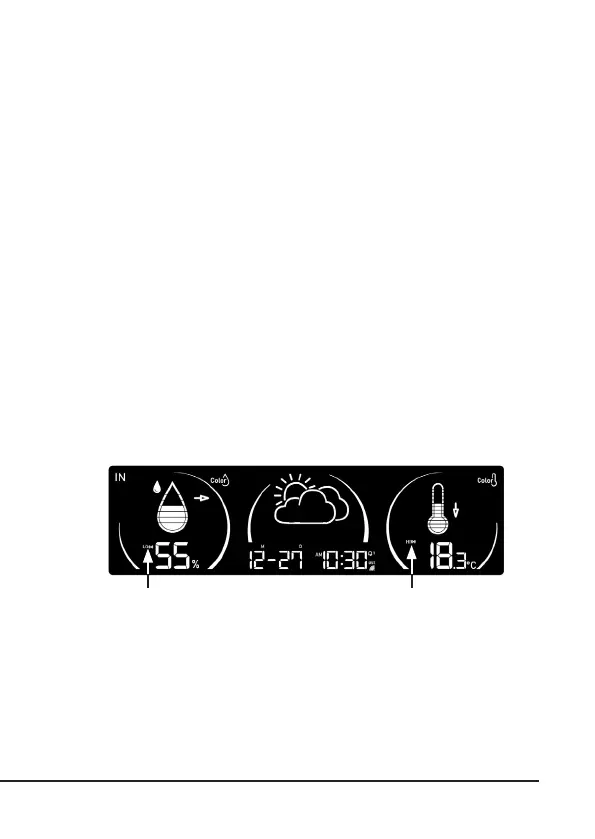
The device can set up a HI/LO temperature and humidity alarm for indoor and up
to 8 outdoor channels.
1. In normal mode, press and hold the "ALERT" buon for 2 seconds to access
the alarm seng mode, and the symbol for the current channel will begin
to ash. Press the "CH/+" or "MEM/-" buon to select IN (indoor) or CH 1-8
(channel 1-8).
2. Press the "ALARM" buon to access the next seng.
3. The alarm seng sequence: Channel -> HI-temperature -> LO temperature
-> HI humidity -> LO humidity -> Channel.
4. Press the "CH/+" - or "MEM/-" buon to change the value by 0.1 °C / °F for
the temperature and by 1% for the humidity. You can also press and hold
the buon to change the value quickly.
5. When seng the HI/LO temperature or humidity value, press the "ALARM"
buon to turn the alarm on or o for the corresponding HI/LO alarm. Once
the alarm is turned on, an alarm symbol is displayed next to the "HI" or
"LO".
6. Press and hold the ALARM buon for 2 seconds or for 60 seconds without
pressing any buon, to return to normal mode.
Switching o the temperature/humidity alarm
When the alarm is acvated, it can be heard audibly and the alarm symbol and
the current reading ash on the display. Press the "ALARM/SNOOZE", "ALARM"
or "ALERT" buon to stop the alarm. If you acvate the alarm and ignore this, it is
cancelled aer 2 minutes.
Alarm is switched on (low
humidity)
Alarm is switched on (high
humidity)



 To Next Page