36 English
Note:
• You cannot enter conicng HI/LO values in the seng. If the HI temperature
alarm value, for example,is 40 °C, then you cannot enter more than 39.9 °C
for the LO alarm, etc. When an alarm is acvated, the display switches to the
corresponding channel. The display returns to the auto cycle mode aer the
alarm stops.
• If the alarm is automacally switched o aer 2 minutes, the alarm symbol
connues to ash unl the weather data are outside the alarm range.
• The weather alarm will sound again if the weather values fall back in the alarm
range.
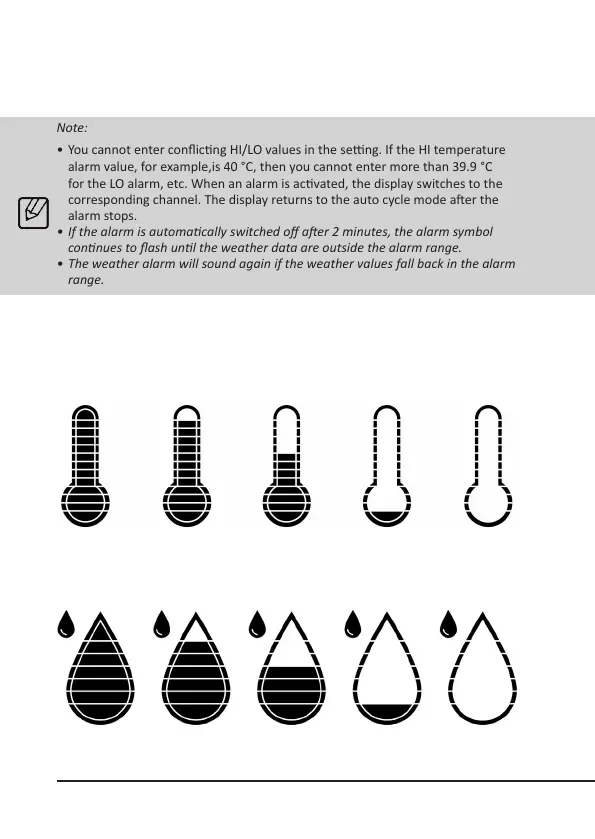
10. Symbol for humidity and temperature levels
The thermostat and the water drop symbol indicate the temperature and humidi-
ty on the LCD display so that you are aware of the current ambient condion.
HI / ≥ 81% 71 - 80% 51 - 60% ≤ 30% / LO - / ER
HI / ≥ 40.1°C 35.1 - 40°C 15.1 - 20°C ≤ -15°C / LO - / ER
Examples of temperature levels
Examples of humidity levels



 To Next Page