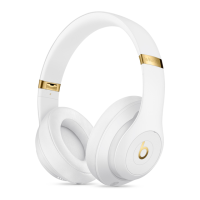
3. Tap the device name in the corner of the card, then choose your headphones from the
list of playback devices. If you don't see your headphones, follow the steps for all other
devices, below.
All other devices:
4. Go to the Bluetooth settings on your device. For example, on your Mac, click the
Bluetooth icon in the menu bar.
5. Select your headphones from the list of Bluetooth devices. If you don't see your
headphones after a few seconds, press and hold the power button for 5 seconds.
4. Charge
Plug your headphones into a power source using the included micro USB cable. As the
headphones charge, the Fuel Gauge lights flash. When charging is complete, all five
lights will remain lit.
Your headphones provide up to 22 hours of playback from 90 minutes of charging, and
up to 40 hours when you turn off Pure ANC. And with Fast Fuel, your headphones
provide up to 3 hours of playback from a 10-minute charge.
5. Control
To control audio playback, use b on the left earcup, or the center button on the
RemoteTalk cable in wired mode.
o To pause or play audio playback, press once.
o To skip to the next track, press twice. To skip backward, press three times.
o To scan forward through a track, press twice and hold on the second press. To scan
backward through a track, press three times and hold on the third press.
To control the playback volume or call volume, use the volume buttons above and below
b on the left earcup. You can also use the RemoteTalk cable to control playback volume.
o Press and release the volume up button, or press and hold to increase volume
continuously.
o Press and release volume down button, or press and hold to decrease volume
continuously.
To control the playback volume or call volume, use the volume buttons above and below
b on the left earcup. You can also use the RemoteTalk cable to control playback volume.


 To Next Page