5
Beaumont Smart Keybox
Step 2 > Download Mobile App (This is only necessary if you want
to manage the Smart Keybox via your mobile phone.)
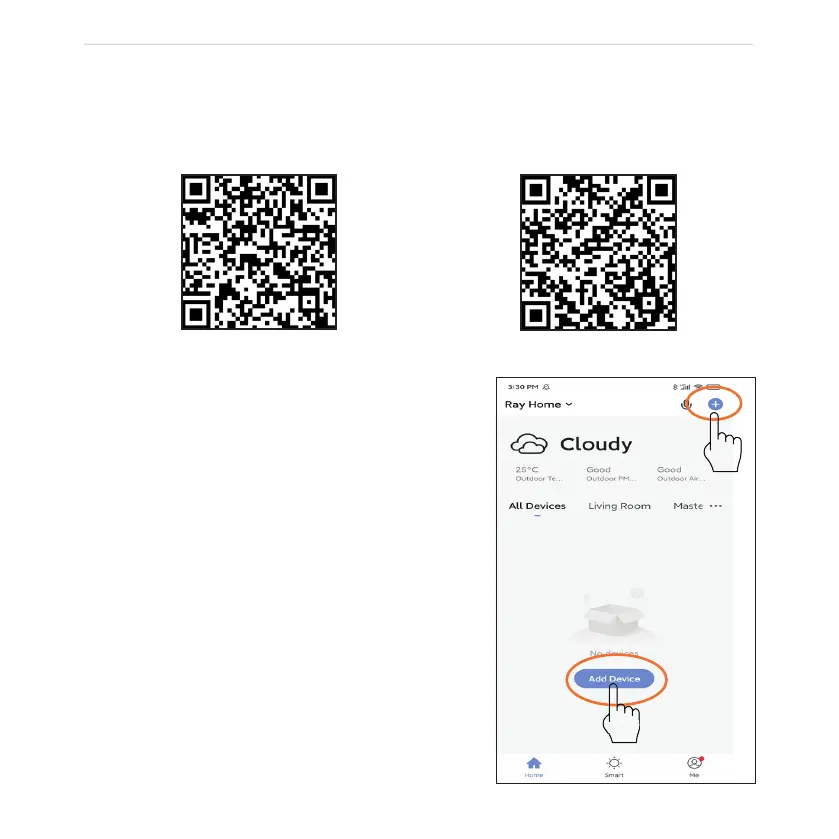
> 1. Scan QR Code below and download the App, or download the Smartlife app from the
Play Store or App Store. Turn on your mobile Bluetooth.
Step 3 > Add Device
> 1. Go to App Home page, click Add Device or
click “+” on the upper right.
Play Store
App Store



 To Next Page