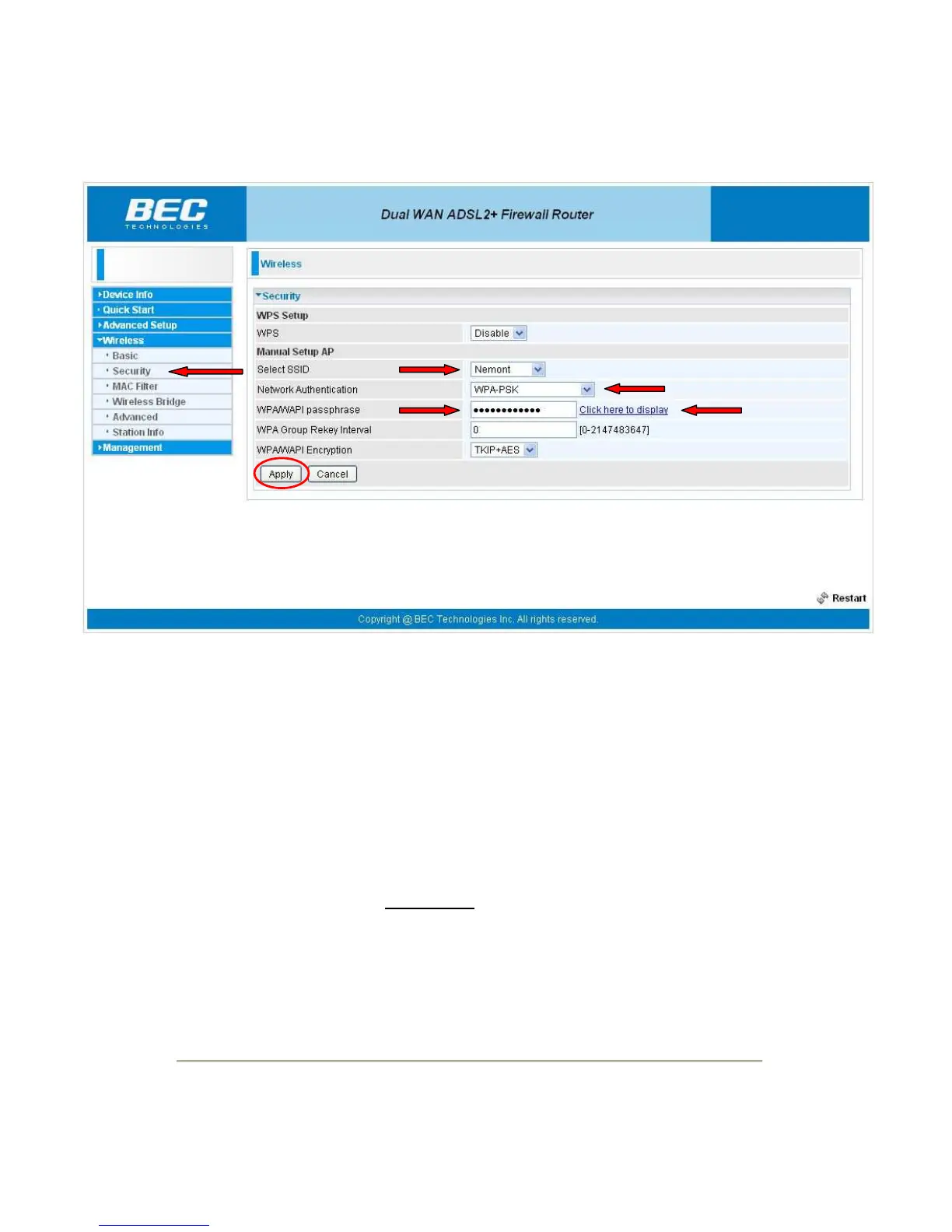
To setup the wireless security click on the "Security" link on the left side of the page under "Wireless".
The "Select SSID" should show the SSID you entered on previous page.
“WPA/WAPI passphrase” by default is the MAC address (uppercase letters) which is listed on the
underside of the modem on the MAC address label. However, the password can be changed to
anything the customer would prefer to use. The only restriction is that the new key is at least eight or
more characters in length. The current passphrase can be viewed by clicking on the “Click here to
display” link to the right of the passphrase box.
After modifying the information above, click the "Apply" button to save these settings.
****************** IMPORTANT ******************
If the customers wireless network card DOES NOT support WPA then this modem will not work with it.
WEP encryption is NOT available. If customers wireless card will only do WEP then the “Network
Authentication” will need to be set to “None”


 To Next Page
 Loading...
