Default Settings MV200Z Console_________________________________________________
1. Connect the Serial to USB cable to the back of the MV200 and USB port.
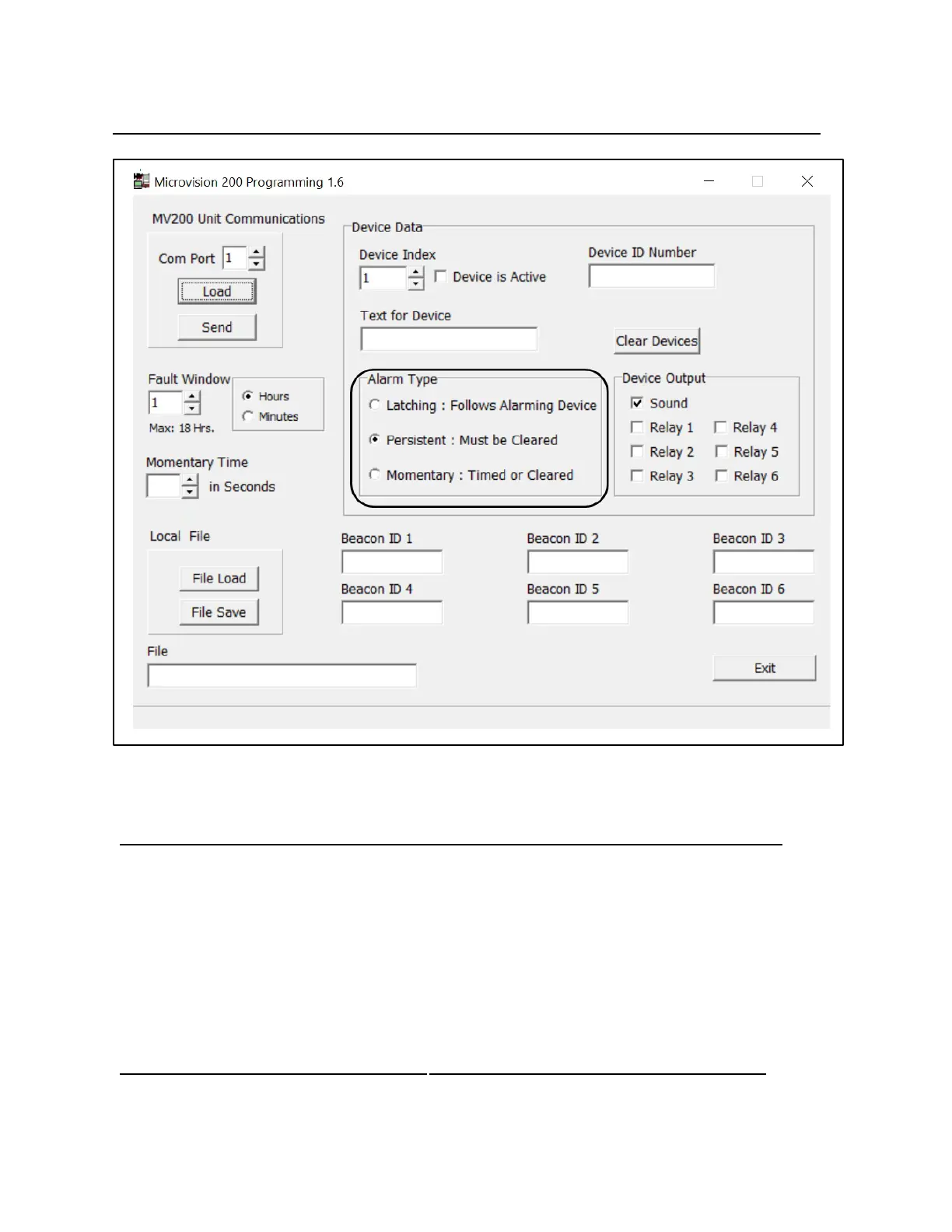
2. BLACK BOX:
a. Latching means that the device will stay in alarm until it is physically reset.
b. Persistent means that the device will stay in alarm until it is cleared from the console.
c. Momentary means that the device will stay in alarm until the Momentary Time is elapsed.
d. The MassageLuXe Default is "Persistent" & The alarm must be cleared at the console.



 To Previous Page