
 Need help?
Do you have a question about the Becken Comando and is the answer not in the manual?
Read instructions carefully and keep them safe for future reference.
Take appliance to Customer Support Service for assistance in case of malfunction.
Works with 2 AAA batteries (not included).
Do not use in humid places or expose to water to avoid fire hazard or electric shock.
Allow unit to cool down and clean exterior with a dry soft cloth only.
Follow manual instructions, keep for future reference, read all instructions, use authorized professionals for maintenance.
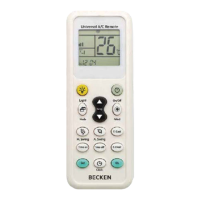
Detailed description of the universal A/C remote control and its buttons.
Details on universal remote control compatibility, functions, LCD screen, clock, and timing.
Instructions for removing the battery compartment lid and inserting batteries.
Note: There are 3 methods to connect the universal remote control to the air conditioning.
Step-by-step guide to configure the remote by pressing brand-specific buttons.
Manual code entry process using SET, Temperature, and OK buttons.
Automatic code search process by pressing SET and OK buttons.
Guide to set the clock using the CLOCK, Temperature, and OK buttons.
 General
| Brand | Becken |
|---|---|
| Model | Comando |
| Category | Remote Control |
| Language | English |

 To Next Page