Appendix
CX9000 / CX9010 51Version: 2.6
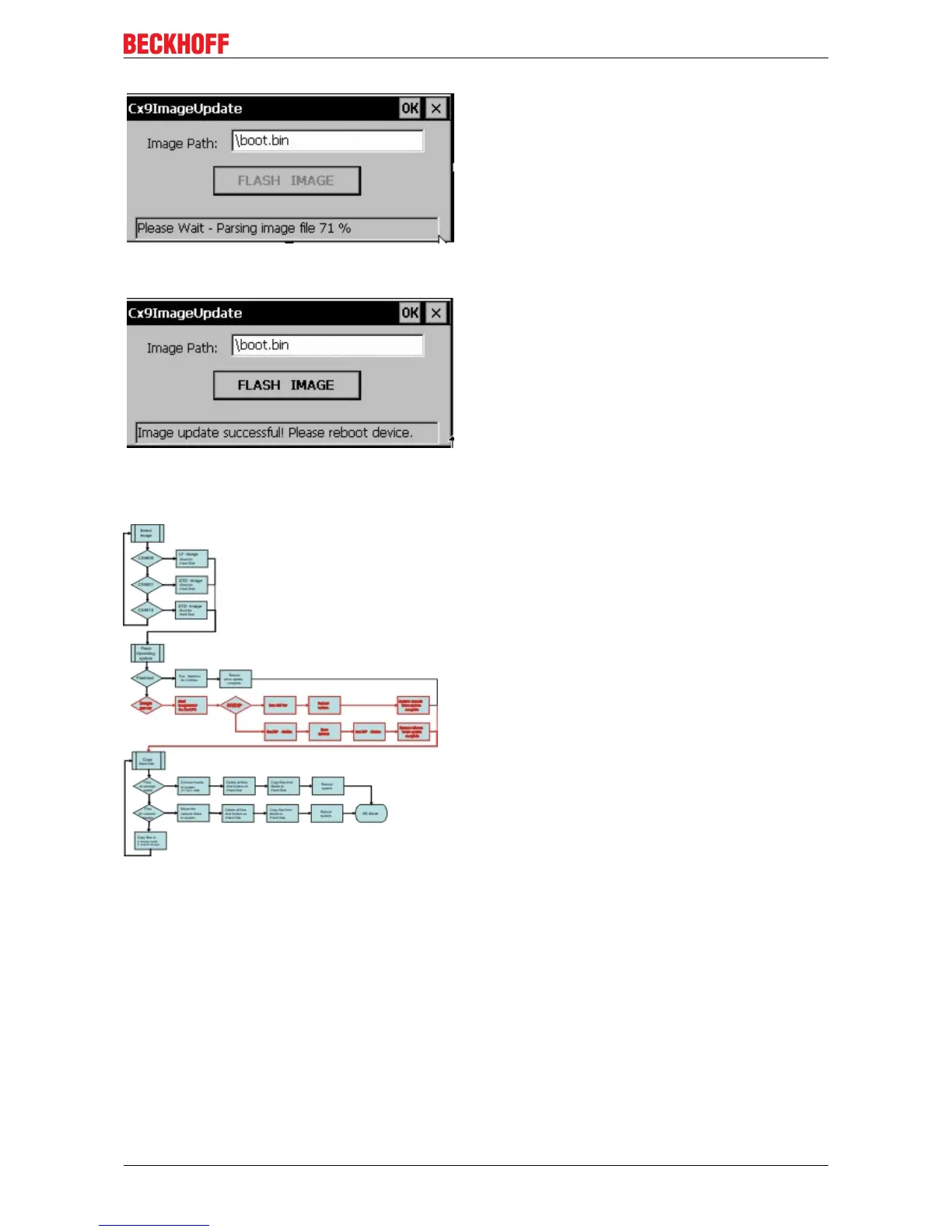
When the update is complete the following message appears in the status field:
The CX90x0 can be rebooted now. If the system has started again The last step can be done.
Imageserver on Host PC
1. Prepare Image-Server (once)
Provide the image server on the host PC, the components are :
• Two batchfiles "CxImgSrv_HMI.bat" and "CxImgSrv_LF.bat"
Note that the CX90x0 is shipped with different hardware environment (e.g. more or less flash memory).
• Folder "\Tools" contains the image server itself : CxImageSrv.exe
• Folder "\Images" contains the HMI and LF subfolders with the required file "Boot.bin"
If you receive a new NK.BIN file, just rename it to "Boot.bin" and provide it in the correct subfolder
2. Prepare CX90x0
Prepare the "Boot-Strap Mode" on CX90x0. There are two ways to set the CX90x0 into "Boot-Strap Mode":
First the DIP-switch version is described.



 To Next Page
 Loading...