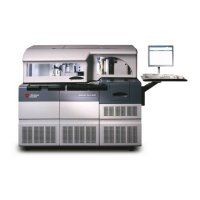
This document is an "Instructions For Use" manual for the P/ACE MDQ system, specifically covering "Installation & Maintenance" for "32 Karat 8.0" software. It was published in March 2012 by Beckman Coulter, Inc.
The P/ACE MDQ is a capillary electrophoresis instrument designed for various analytical separations. The manual provides comprehensive information for its setup, operation, and upkeep.
Function Description:
The P/ACE MDQ system is used for capillary electrophoretic separations. It integrates hardware and software components to perform analytical tasks, including data acquisition and processing. The system can be configured with different detectors, such as Ultra Violet (UV), Photodiode Array (PDA), and Laser Induced Fluorescence (LIF) detectors, to suit various applications. It also supports external devices like mass spectrometers via an External Detector Adapter (EDA) and offers different sample handling options, including buffer reservoir trays and various vial types.
Important Technical Specifications:
- Software Version: 32 Karat 8.0
- Firmware Version: P/ACE MDQ Software and Firmware Version 1.5 or 32 Karat Software Version 5.0 and Firmware 5.0 or higher are required for certain features like the Buffer Tray Reservoir and LIF Detector.
- Instrument Weight: P/ACE MDQ is heavy (155 lbs/70.5 kg), requiring at least two people for lifting.
- Storage Temperature: 4°C to 40°C.
- Computer Hardware Configuration (Recommended):
- CPU: IBM M51 Computer with 3.2 GHz processor
- Memory: 1024 Mb (minimum)
- Hard Drive: 40 Gb or larger
- CD/DVD RW: Required
- USB Ports: Required
- Monitor/Resolution/Colors: 1024 x 768/True Color
- Keyboard: 101 key
- Mouse: Microsoft® compatible
- Interface: PCIe Communications Interface Board (provided with software)
- Printer: Any Windows XP™ compatible printer
- Operating System: Microsoft Windows XP Pro with service pack 2
- Capillary Diameter (Standard Cartridge): 150 to 375 μm external diameter.
- Capillary Diameter (EDA-Only Cartridge): Down to 150 μm external diameter.
- Buffer Reservoir Tray Capacity: Two large reservoirs, each holding approximately 25 mL of buffer. Can accommodate ten standard 2 mL buffer vials.
- Pressure Limit (Buffer Reservoir Tray): 20 psi when rinsing from reservoirs; 2 mL vials can be pressurized to 100 psi.
- Analog Outputs: Three BNC type connectors.
- PDA Detector: Output 1 (Data Channel 1), Output 2 (Data Channel 2) with full scale output 1.0 AN/V and selectable multipliers (1.0, 0.5, 0.2, 0.05, 0.02, 0.01). Output 3 (Current Signal when Voltage programmed; Voltage signal when Current or Power programmed).
- UV Detector: Output 1 (Data) with full scale output 1.0 AN/V and selectable multipliers (1.0, 0.5, 0.2, 0.05, 0.02, 0.01). Output 2 not used. Output 3 (Current Signal when Voltage programmed; Voltage signal when Current or Power programmed).
- LIF Detector: Output 1 (Data Channel 1), Output 2 (Data Channel 2) with full scale output 1.0 RFU/V and selectable multipliers (1.0, 0.5, 0.2, 0.05, 0.02, 0.01). Output 3 (Current Signal when Voltage programmed; Voltage signal when Current or Power programmed).
- SS420X External Unit:
- Analog Connections: 4 channels (CH1 - CH4 +/-/GND).
- Digital Input Connections: 4 channels (IN1 - 4 (+/-)).
- Digital Output Connections: 8 channels (OUT1 - 8 (+/-)).
- Serial Port: RS232 for connection to computer.
- LIF Detector Filters: 520 nm, 560 nm, and 675 nm emission (band-pass); 488 nm notch. Standard 0.5" diameter filters in the range of 350 to 750 nm, total thickness not more than 0.350”.
Usage Features:
- System Installation: Detailed procedures for installing hardware (GPIB board, detectors, capillary cartridges, buffer/sample trays) and software (32 Karat Software, GPIB driver). Initial installation is performed by a Beckman Coulter Service Representative to maintain warranty.
- Computer Configuration: Instructions for setting up the computer's power/peripherals, CMOS settings (disabling power management, Num Lock ON, COM1/COM2 enabled), display settings (screen saver None, power saving disabled, 1024x768 resolution), and boot control (Windows XP, Show List 10 seconds).
- Software Licensing: Requires a "license key" (USB Flash Drive) for data acquisition. The Flash Drive must remain in place while the software is running.
- Network/OS Changes: Procedures for re-installing the license if the computer's network name or operating system is changed.
- Detector Installation: Specific steps for installing UV, PDA, and LIF detectors, including fiber optic cable connections.
- Capillary Cartridge Installation: Instructions for assembling and installing capillary cartridges for different detector types, including specialized cartridges for EDA.
- Sample Handling: Guidance on filling 0.5 mL, 2.0 mL, PCR vials, and 96-well plates, including maximum fill levels and cap installation.
- External Device Connectivity: Detailed instructions for connecting external detectors and other devices via the SS420X External Unit and the P/ACE MDQ External Detector Adapter, including trigger signals and analog outputs.
- Buffer Tray Reservoir: Instructions for filling and installing the buffer reservoir tray, noting solvent compatibility and pressure limits.
Maintenance Features:
- Capillary Cartridge Rebuild: Comprehensive steps for rebuilding the capillary cartridge, including removing/replacing the capillary, coolant tubing, seals, aperture clips, and trimming capillary ends. Requires safety glasses, flathead screwdriver, and forceps.
- UV Detector Wavelength Filters: Procedure for installing and replacing wavelength filters, emphasizing the use of latex gloves and careful handling of optical surfaces.
- PDA Detector Calibration: Steps to calibrate the PDA detector after initial installation, lamp changes, or as part of routine maintenance.
- Lamp Replacement: Instructions for changing the deuterium lamp, including safety precautions for hot lamps and ensuring proper O-Ring installation.
- Fiber Optics Cleaning: Method for cleaning fiber optic cables for UV and PDA detectors using non-abrasive lens tissue and HPLC grade alcohol.
- LIF Detector Care: Guidelines for inspecting the LIF detector system for laser light containment, cleaning exterior surfaces, and proper filter handling.
- LIF Detector Calibration: Accessing and using the LIF Calibration Wizard for manual or auto-calibration, including setting calibration correction factors and using a calibration test mix. Provides target RFU values for different capillary diameters and dyes (Cy5, Sodium Fluorescein).
- Instrument Care: Decontamination procedures for the P/ACE MDQ instrument when service is requested, including cleaning internal and external surfaces with cleaning solution (90% HPLC grade water, 10% Household Bleach).
- Interface Block, Ejectors, and Electrodes Cleaning: Steps to clean these components using cotton swabs and HPLC grade water.
- Coolant Refilling: Procedure for refilling the capillary cartridge coolant using a syringe and coolant fill adapter.
- Electrode Replacement: Instructions for replacing bent or broken electrodes, requiring a flathead screwdriver and careful handling due to sharp ends.
- Quad-Ring Replacement: Procedure for replacing quad-rings if coolant leakage occurs between the interface block and cartridge.
- Fuse Replacement: Steps for replacing fuses, including identifying the correct fuse type and rating (8.0 A Slow Blow for 100-120 VAC, 6.3 A Time Delay for 200-240 VAC) and troubleshooting fuse failures.

 Need help?
 General

 To Next Page