USER MANUAL – MODELS 6002NA/V1/V2/ & 7002xx
QUESTIONS? EMAIL US AT INFO@BEDJET.COM OR CALL 401-404-5250
WE ARE HERE TO HELP – PLEASE CALL US FOR ADVICE!
Revision 1.6 www.bedjet.com P a g e | 23
Android Instructions:
Download the BedJet App from the Google Play Store. Once the BedJet is powered on, run the
BedJet App and press the blue window on the bottom left of main screen that says “Pair”. On
following screen press Search, the local BedJet device should show up on the list. Press the
device ID and the pairing should begin. The Bluetooth symbol on the BedJet Status Display will
light once the Bluetooth link is active with your smart device.
iOS Instructions (iPhone, iPad, iPod Touch):
Download the BedJet App from the iTunes Store. Once the BedJet is powered on, run the BedJet
App and press the blue window on the bottom left of main screen that says “Pair”. On following
screen press Search, the local BedJet device should show up on the list. Press the device ID and
the pairing should begin. The Bluetooth symbol on the BedJet Status Display will light once the
Bluetooth link is active with your smart device. FOR APPLE PRODUCTS, BLUETOOTH PAIRING TO
THE BEDJET MUST BE DONE VIA THE BEDJET APP, THE BLUETOOTH CONNECTION WILL NOT
PAIR IF YOU TRY TO CONNECT THROUGH THE BLUETOOTH GENERAL CONTROL PANEL OF YOUR
APPLE SMARTPHONE OR TABLET.
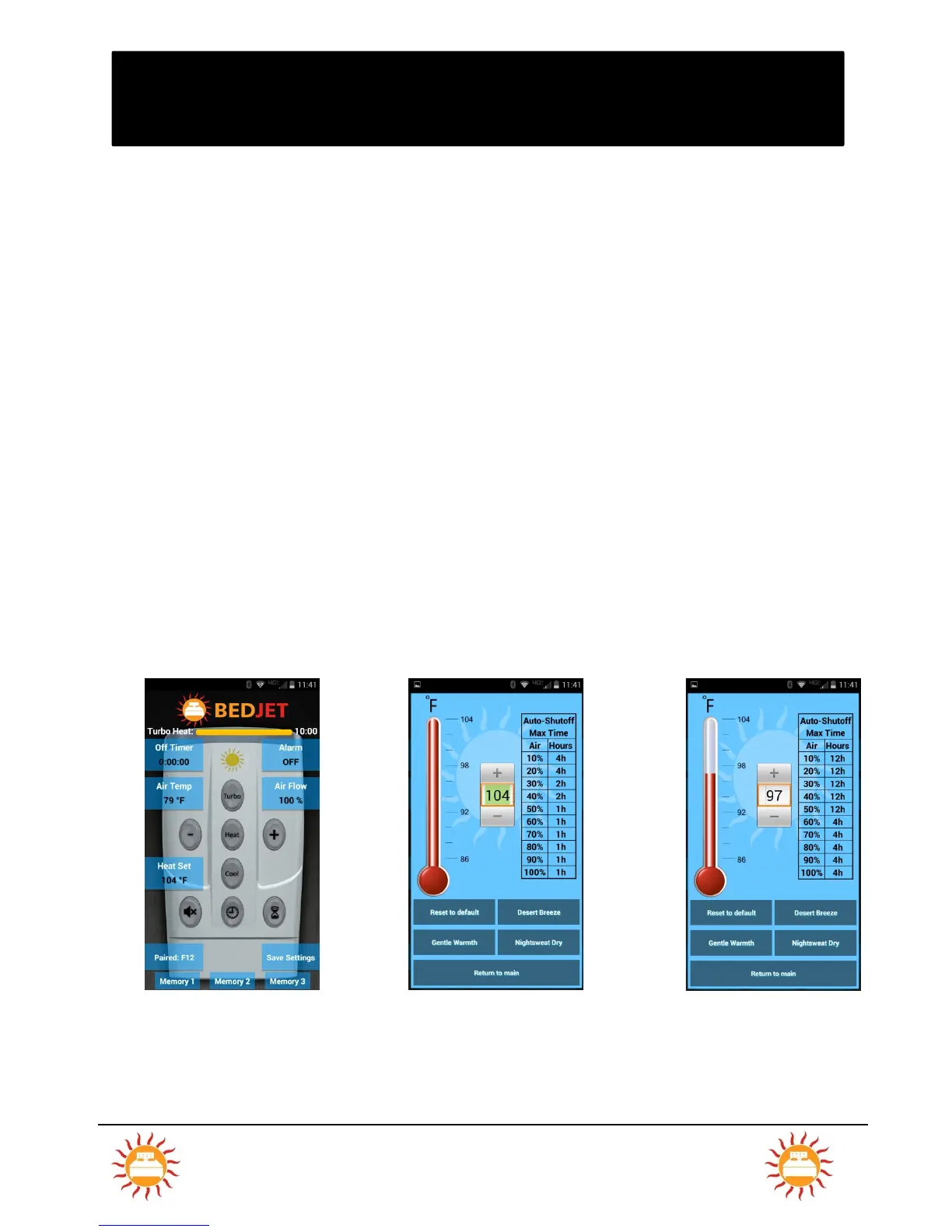
Accessing 12-Hour Auto-Shutoff Heating Time with the App:



 To Next Page