EasyManua.ls Logo

BedJet 6002NA V2 - User Manual

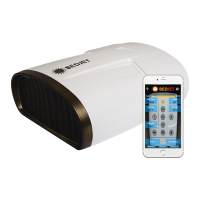
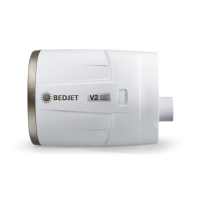
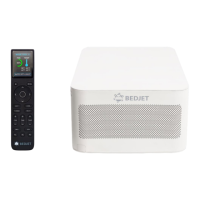
BedJet 6002NA V2
30 pages
Print Icon
To Next Page IconTo Next Page
Loading...
USER MANUAL MODELS 6002NA/V1/V2/ & 7002xx
QUESTIONS? EMAIL US AT INFO@BEDJET.COM OR CALL 401-404-5250
WE ARE HERE TO HELP PLEASE CALL US FOR ADVICE!
Revision 1.6 www.bedjet.com P a g e | 1
Bed Climate Comfort System
with Remote Control & Bluetooth App
This device is for residential home use only. It is not intended to be
used in commercial, industrial, or human medical settings.
READ AND SAVE THESE INSTRUCTIONS
READ CAREFULLY BEFORE ATTEMPTING TO ASSEMBLE,
INSTALL, OPERATE OR MAINTAIN THE PRODUCT DESCRIBED.
PROTECT YOURSELF AND OTHERS BY OBSERVING ALL
SAFETYINFORMATION. FAILURE TO COMPLY WITH
INSTRUCTIONS COULD RESULT IN PERSONAL INJURY AND/OR
PROPERTY DAMAGE!
RETAIN INSTRUCTIONS FOR FUTURE REFERENCE.
SAVE THESE INSTRUCTIONS
®

Questions and Answers

  • S
    Stephanie CannonAug 8, 2025
    Why is there no air flow from my BedJet 6002NA V2 into the bed?
    • J
      Julia OrtizAug 8, 2025
      If your BedJet is on but you're not feeling the cooling or heating in bed, several factors could be at play. First, check that the Air Nozzle and Air Hose are properly installed on the bed, as they can shift over time. Ensure the bedding isn't bunched up in front of the Air Nozzle. Also, low-quality top sheets (too low thread count) or loose-knit top sheets might allow air to escape. A heavy blanket load can also impede airflow. To resolve this, adjust the Air Nozzle and Hose so that the Air Nozzle extends at least 1 inch onto the top of the mattress. Pull the bedding flatter to allow air to flow through the bed. Use a top layer sheet or comforter with a 250 thread count or higher. Consider using the AirComforter accessory.
  • L
    Lacey HunterAug 17, 2025
    What to do if my BedJet 6002NA V2 Temperature Controller blows cold air while in heat mode?
    • A
      Angela PopeAug 17, 2025
      If your BedJet delivers warm air but then starts blowing cold air while still in heat mode, the mechanical thermal overheat switches may have been triggered, possibly by inlet or outlet blockages. To fix this, switch off your BedJet and unplug it for 5 minutes. Then, plug it back in and run it on cool mode for 1 minute before attempting to use the heat mode again. This will help reset the thermal overheat switch. Also, check the air filter to ensure it is clean and make sure there are no obstructions blocking the air inlet or outlet.
  • J
    Jason GainesAug 29, 2025
    What does it mean when my BedJet 6002NA V2 Temperature Controller beeps 5 times and the power LED is flashing?
    • D
      Daniel YoungAug 29, 2025
      If the BedJet Power LED is flashing, all other LED lights are off, the unit won't operate, and the BedJet beeps 5 times, it indicates the microprocessor has detected a monitoring error. This can occur if you rapidly change modes or airflow while obstructing inlets or outlets. To resolve this, shut the BedJet off for 10 seconds and restart it. If the problem persists, contact BedJet support and record the number of flashes from the Power LED. Also, ensure the air filter is clean and there are no obstructions in the air inlet or outlet. For V2 models, update the firmware.

Summary

Important Safety Instructions

Important Safety Warnings

General Usage Precautions

Key safety instructions covering operational limits, electrical safety, and environmental considerations.

Pre-Installation Checklist

Assembly and Operation Principles

Proper Assembly Requirements

Guidelines for correctly assembling and installing BedJet components for optimal operation.

Wireless Remote Control Operation

Dual Zone Switch Configuration

Maintenance and Single Zone Installation

Single Zone Installation Guide

Step-by-step instructions for installing a single BedJet unit on any bed size.

BedJet Installation Steps Part 1

BedJet Installation Steps Part 2

BedJet Installation Steps Part 3

BedJet Operating Modes

Basic Mode Controls and Adjustments

How to activate modes, adjust airflow, and use timer/mute functions.

Mode Performance and Cooling Tips

Heating Modes and Advanced App Control

Heating Mode Information and Auto-Shutoff

Details on Turbo Heat and Normal Heat modes, including auto-shutoff time management.

Warming Enjoyment and App Overview

BedJet Smart Remote App Features

Overview of the BedJet Smart Remote App, highlighting its enhanced remote control capabilities.

App Connectivity and Settings Configuration

12-Hour Auto-Shutoff Heating with App

Guide to accessing extended auto-shutoff times for heating via the BedJet App.

AirComforter Sheet and Dual Zone Operation

Troubleshooting Common Issues

BedJet Audible Notifications Guide

Explanation of BedJet beep codes and their corresponding troubleshooting recommendations.

Diagnose and Fix Common Problems

System Errors and Heat Delivery Problems

Addressing system monitoring errors, flashing LEDs, and issues with heat delivery.

Advanced Troubleshooting and Performance Tuning

No Airflow or Temperature Felt in Bed

Diagnosing and fixing issues where no airflow or temperature is perceived in the bed.

Warranty and Customer Rights

BedJet 6002NA V2 Specifications

General IconGeneral
Model6002NA V2
TypeClimate Comfort System
Remote ControlYes, Wireless Remote
Timer FunctionYes
Warranty2 years
Cooling MethodAir-based cooling
Heating MethodAir-based heating
CompatibilityAll bed sizes
Power Supply120V AC, 60Hz
Temperature Range66°F to 104°F (19°C to 40°C)
App ControlYes

Related product manuals