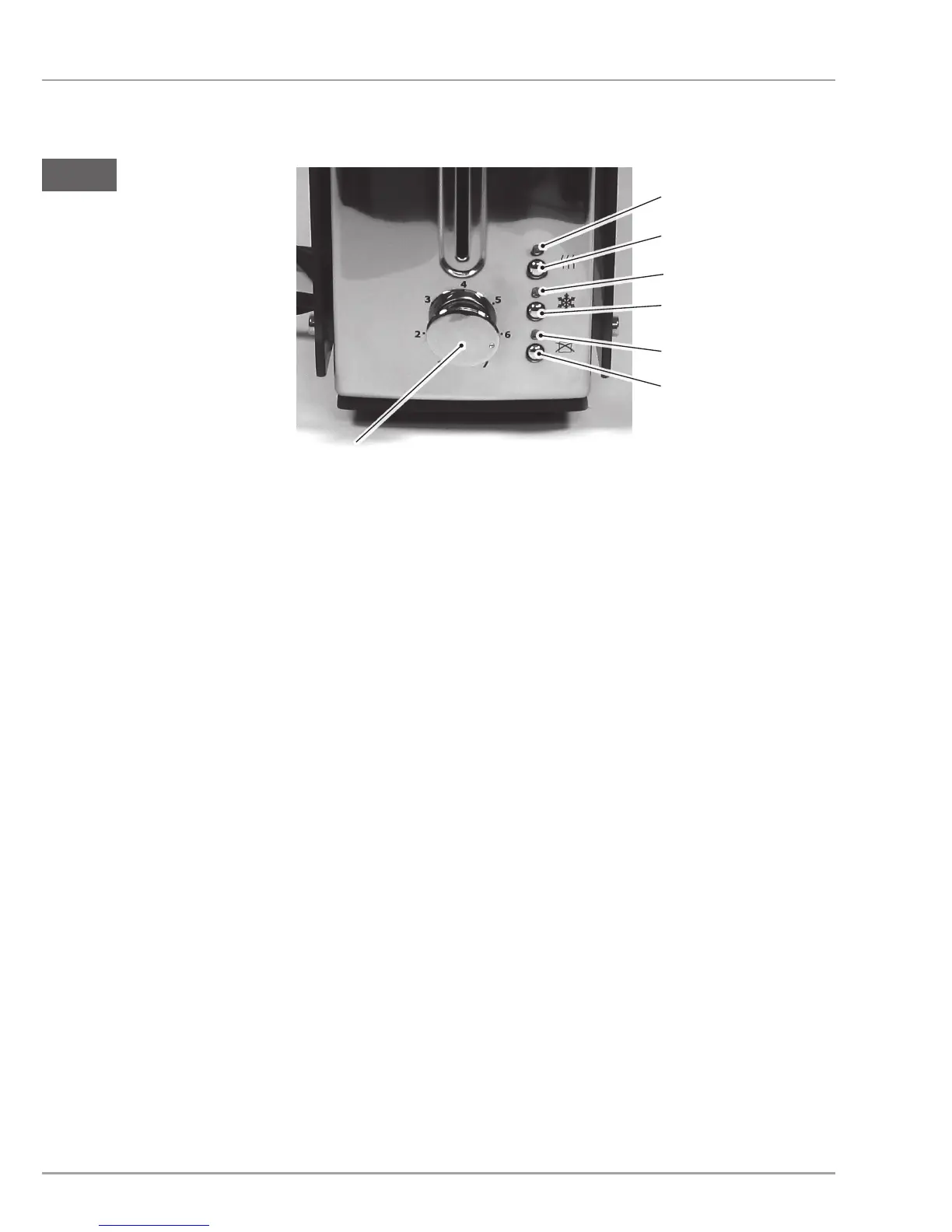
Control panel
14
8
9
10
11
12
13
8
"Warm-up" indicator lamp
12
"Toasting" indicator lamp
9
"Warm-up" button
13
"Cancel" button
10
"Defrost" indicator lamp
14
Rotary switch for browning
level
11
"Defrost" button
Before using for the rst time
Wipe the appliance and the crumb tray with a slightly damp
cloth as described in the section Cleaning.
Switch on the toasting function of the appliance 3 to 4 times
without bread and set to maximum browning level. Ensure
sufcient ventilation.


 To Next Page