Note:
1. Press the RESET key, hold for 5-10 seconds to reset the camera settings.
2. If the Wi-Fi configuration fails, try the ethernet connection.
3. Please ensure to connect your phone mobile phone with same Wi-Fi network which you
wants to use for your camera
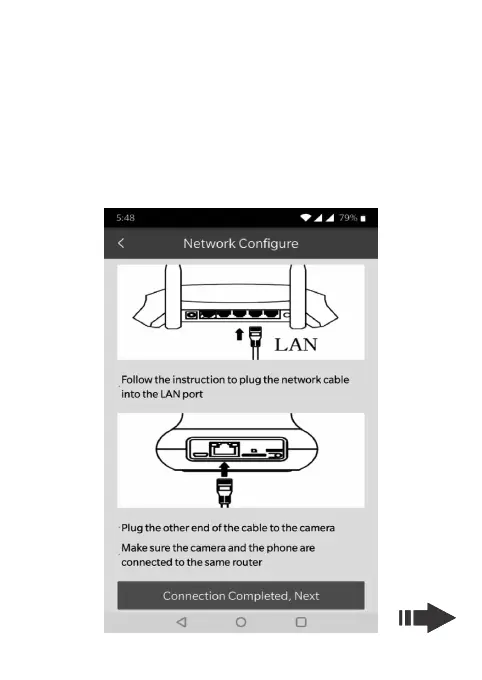
b. Ethernet connection (wire mode)
Click the Wire Mode option and connect the network cable, connect your
phone with desired Wi-Fi, Input the Wi-Fi password and press next to search
the camera device MAC ID, click on the searched MAC ID, the connection
should be successful. Enter the desired name to your Camera.
15


 To Next Page