6
Indicators :
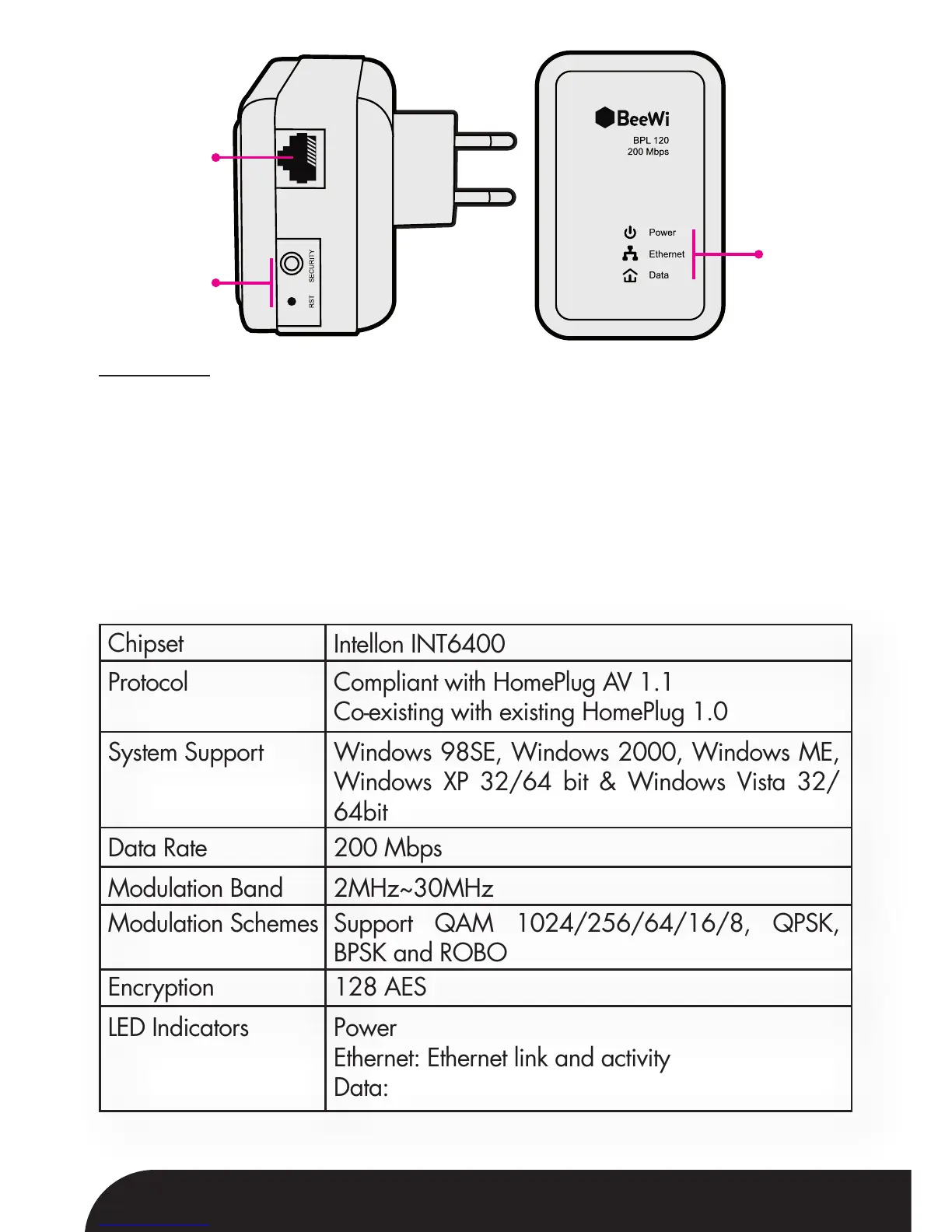
There are 3 LEDs on the front panel to indicate the status of the adapter.
- Power (green): lightened when the adapter is powered on.
- Ethernet (green): blinks to indicate activity over the Ethernet connection.
- Data (green): blinks to indicate activity over the power line connection.
The red light and the green light illuminate simultaneously and the indicator
is in orange when the device is in reset state.
1.5. Specifications
Ethernet
Port
Buttons
Indicators
Chipset
Encryption
LED Indicators
Data Rate
Modulation Band
Modulation Schemes
Protocol
System Support
Intellon INT6400
128 AES
Power
Ethernet: Ethernet link and activity
Data: PLC link and activity
200 Mbps
2MHz~30MHz
Support QAM 1024/256/64/16/8, QPSK,
BPSK and ROBO
Compliant with HomePlug AV 1.1
Co-existing with existing HomePlug 1.0
Windows 98SE, Windows 2000, Windows ME,
Windows XP 32/64 bit & Windows Vista 32/
64bit


 To Next Page